&(
9.
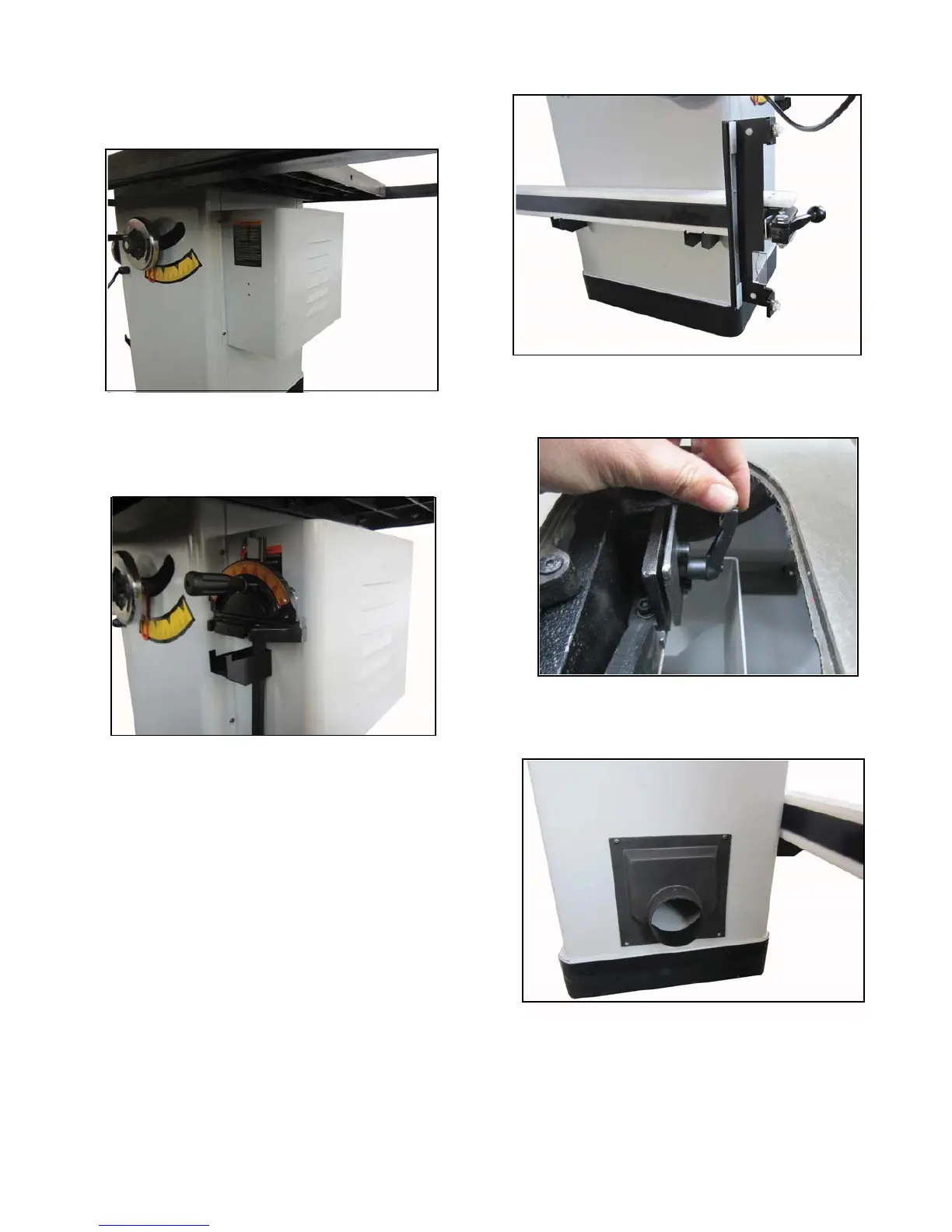
Attach the motor cover by using M5×10 button head
Figure 13.
screw showed in
Figure 13.
Attach the motor cover
10.
Attach the tool rest bracket to the motor cover by using
Figure 14.
two M5×10 button head screw showed in
Figure 14.
Attach the tool rest bracket
11.
Attach two tool rest bracket toanother side by two
Figure 15.
M5×10 button head screw for each showed in
Figure 15.
Attach two tool rest brackets
13.
Attach the dust hood by four M5×10 button head
Figure 17.
screws showed in
Figure 17.
Attach the dust hood
12.
Loose the screw on spliter bracket showed in
Figure 16.
Figure 16.
Loose screw


 To Next Page