START
• Turn on at wall.
• Fit Wash Pump Inlet Filter.
• Fit Drain Upstand.
• Fit Scrap Trays .
• Shut all doors and turn wall and Machine Power on.
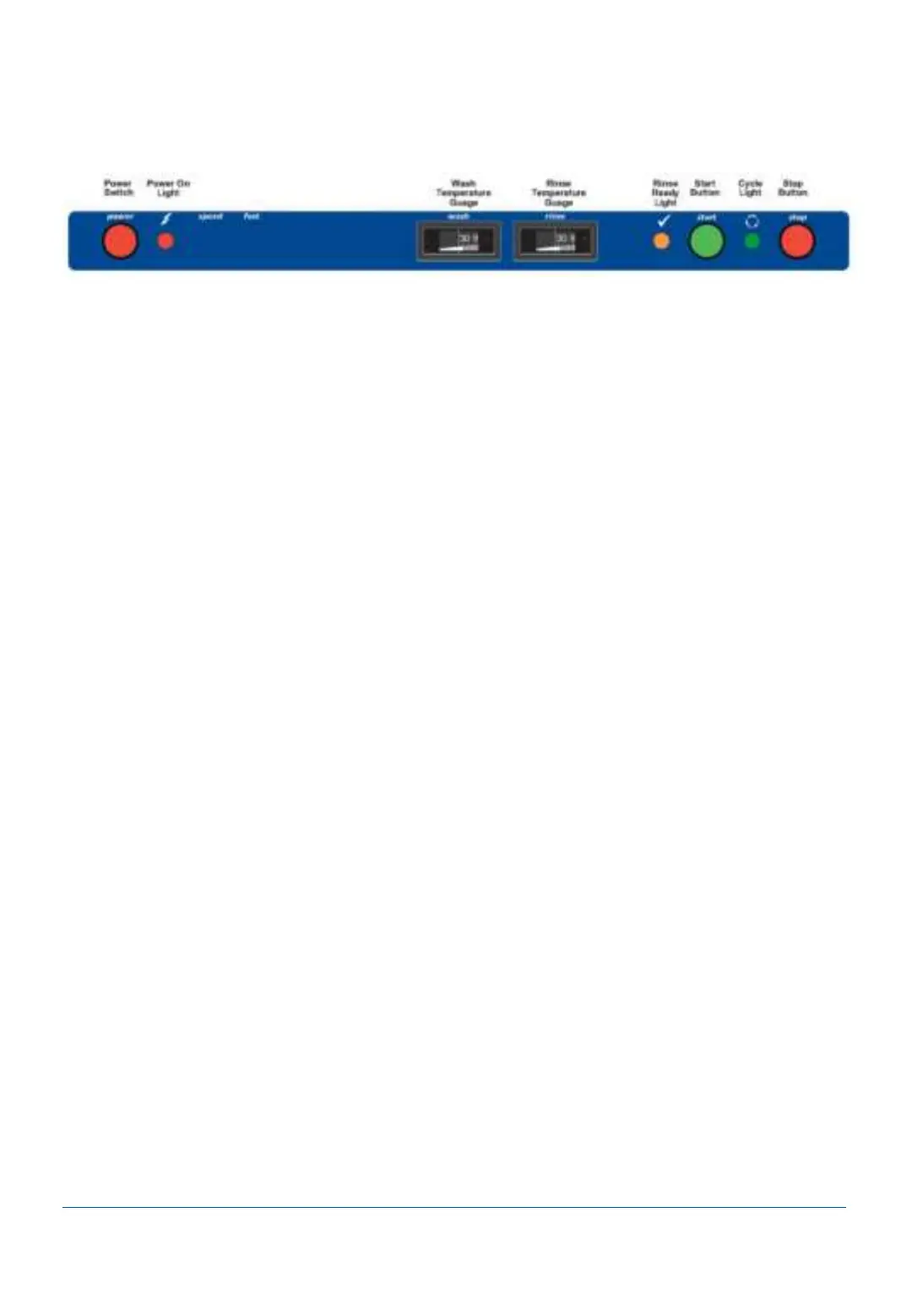
• Machine begins filling. Full light amber when tanks are full.
• Ready light glows amber when the machine is up to required temperature.
OPERATION
• Press Start button to operate machine.
• Start button glows green while machine operates.
• Stack one rack with items. Using a second empty rack, push the first rack into the inlet
zone of the machine - ensure the rack is pushed fully into the inlet to engage pawl drive.
• Repeat for all consecutive racks.
• For quicker washing, press Fast button to toggle faster washing speed.
NOTE: Pumps and conveyor will stop operating if the machine is left idle for 2 minutes. To
restart the pump and conveyor simply feed a new rack into the inlet of the machine.
SHUT DOWN – END OF EACH DAY
• Press Stop button.
• Take out Drain Upstands and Drain Plugs to gravity drain the machine.
• When tanks are visibly empty switch Power button off.
• Proceed with Operator Care Wash Zone cleaning instructions.
SUGGESTED BEST PRACTICE
Pre-rinse Scrape and/or rinse trays, plates & glasses in cool water.
Chemical Use a good quality non foaming commercial detergent and drying agent – do
not use domestic detergents which will cause the machine to foam.
2/9/2021 10
Operator Use Guide
Washtech CD100 L Operator Manual



 To Next Page