8 M2 - Operator Manual 151006
User Programming
User Settings Factory Setting Selection
Power Save ON ON/OFF
Detergent Prime OFF ON/OFF
Fill Detergent Injection Time 40 0 - 180 secs
Wash Detergent Injection Time 15 1 - 30
Rinse Aid Injection Time 12 1 - 30
Display Contrast 27 10 - 40
Power Save function reduces the rinse temperature setting by 10°C when the machine is
idle for 5 minutes or more. The temperature settings return to the set value when door is
opened or START/STOP key is pressed.
QuickStart starts washing regardless of rinse temperature. If rinse temperature is not
sufficient cycle countdown will stop at 22 seconds. Washing continues until rinse reaches
temperature required for sanitization and countdown then resumes.
Keypad Start Button Colours
Machine State Colour
Door Open Purple
Filling White
Heating Orange
Ready Green
Ecopower Blue
Washing Red
Error Flashing Red
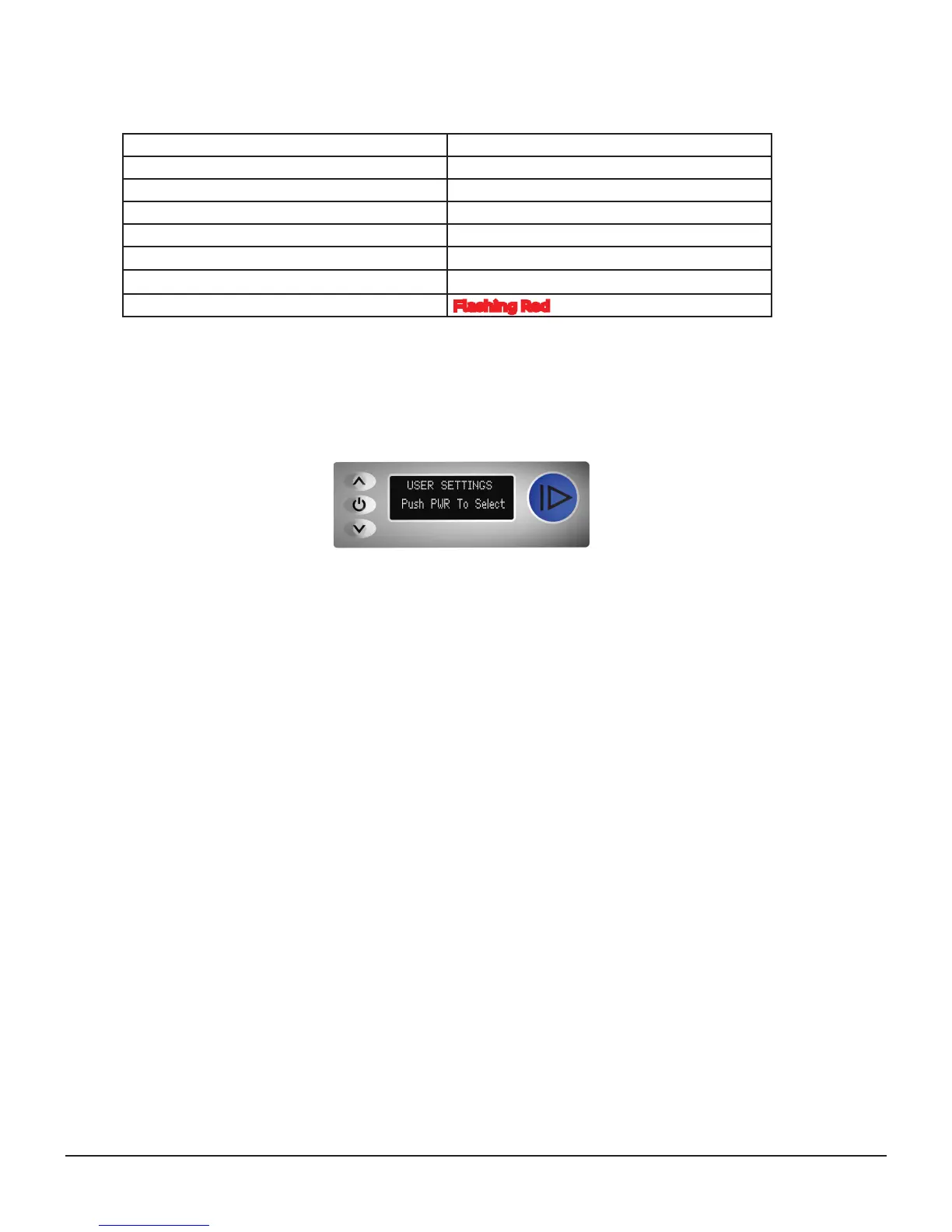
The User Settings menu is accessed by pressing the UP and DOWN keys
simultaneously for 5 seconds, the screen should then change to:
Press the POWER button to scroll between settings.
Press the UP and DOWN keys to change a specific setting,
Press the START button to return to the operator screen.
The programming options are specified in the table below:
POWER
UP
DOWN
START


 To Next Page