- 25 -
2.
Turn on the printer power.
3.
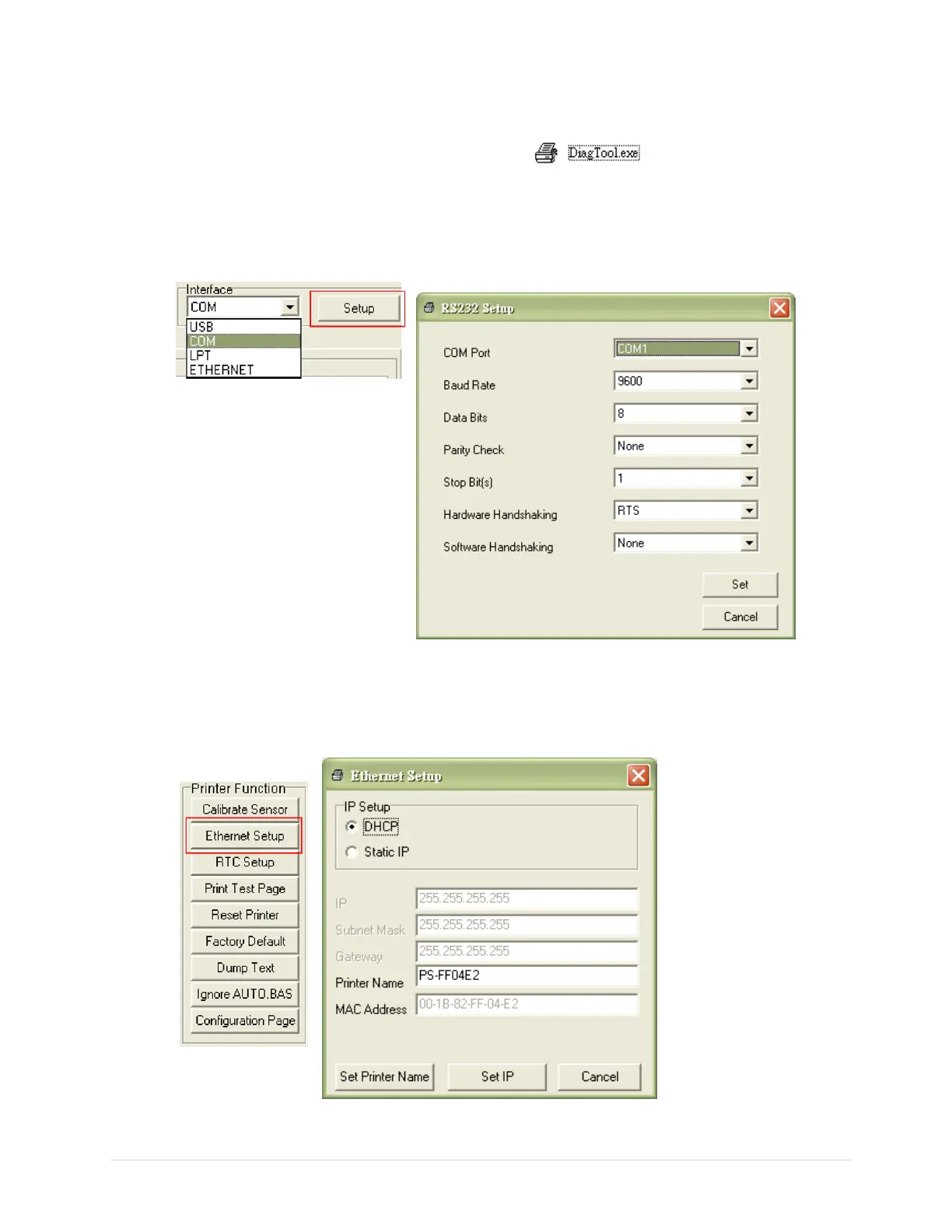
Start the Diagnostic Utility by double clicks on the icon.
4.
Select “COM” as interface then click on the “Setup” button to setup the serial port baud rate, parity check,
data bits, stop bit and flow control parameters.
5.
Click on the “Ethernet Setup” button from printer function of Printer Configuration tab to setup the IP
address, subnet mask and the gateway for the on board Ethernet.


 To Next Page