Page 5
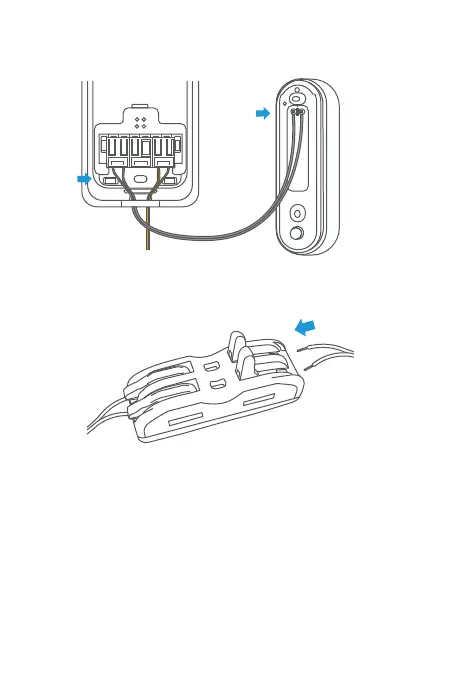
4. Connect the spade connector to the back of the
Nest Doorbell.
5. Connect the AC power terminals to the AC power
adapter connector (there is no polarization).
6. Follow instructions on the Google Home APP to set up
the chime type for your Nest Doorbell (battery) or
Nest Doorbell (wired).
AC OUT AC INSWITCH
Note: Transmitter is powered by 16-24 VAC AC adapter,
the AC adapter needs to meet the safety standard
requirements of IEC 62368-1, and the output power
needs to meet the PS2 level. Please see page 9 for
wire stripping instruction if the adapter comes with
spade connectors.


 To Next Page