3. While setting the watch,if you do not push any button
within 30 seconds, the screen will automatically return
to the time of day.
4. In case a Training Mode alert and a Reminder Mode
alert are activated at the same time, the Reminder Mode
alert will “win” and Training Mode alert will activate
right after Reminder Mode alert stops.
5. Push and hold down buttons 2 and 4 for THREE
seconds to reset the watch.
(
PUSH 2 FIRST AND
IMMEDIATELY PUSH 4 AND HOLD THEM
DOWN FOR 3 SECONDS)
Pushing these two buttons resets the watch to the
original factory settings and this will delete your
program.
6. There are
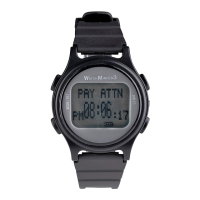
15 preset Training Mode messages
(BATHROOM, BEPOSITIVE, BREATHE, COUGH,
GIVE POSITIVE, I CAN DO IT, IGNORE,
PAY ATTN, POSTURE, PRAY, RELAX, SLOW
DOWN, SMILE, STOP, STRETCH) and 50 preset
Reminder Mode messages (BACKPACK, BANK/BILLS,
BATHE, BATHROOM, BED TIME, BOOKS,
CALL/TEXT, CHORES, CLEAN, COOK, DIABETIC
TEST, DOCTOR, DRESS, EAT, EXERCISE, GET
KIDS, GO HOME, GO LESSON, GO MEETING,
GO SCHOOL, GO SPORT, GO WORK, HW/STUDY,


 To Next Page