EasyManua.ls Logo

Water Tech Volt Series - User Manual

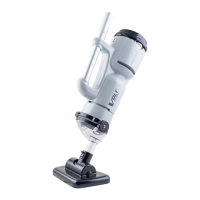
Water Tech Volt Series
4 pages
Print Icon
To Next Page IconTo Next Page
Loading...
Installation Guide - NiMH to Lithium
Need Help? Contact Customer Care at (732) 967-9888
Upgrading the Water Tech
TM
Volt FX-4Li Motor Box
1
Why did my new motor box kit come with a charger?
This complete kit replaces all of the electronics for the
Water Tech
TM
Volt FX-4Li and will guarantee that your
machine will be repaired and increase the longevity of
your battery.
Your old charger will not work. Please dispose of your
original charger. Failure to do so will void warranty.
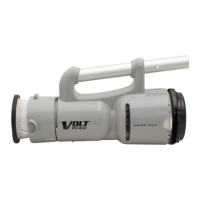
STEP 2: Use Phillips head to unscrew the four
screws located at the exhaust of the Volt FX-4Li
(2 screws on each side). Place screws to the side.
Your new kit includes:
Motor Box (P20X003LI)
Charger (LC099-2S-US-EU)
Phillips screwdriver or battery
powered screwdriver
(set at low torque setting)
Pliers and cutters
You will need the following tools:
STEP 1: Use cutters to cut lanyard that secures
the battery chamber cover.
Question and Answer IconNeed help?

Do you have a question about the Water Tech Volt Series and is the answer not in the manual?

Summary

Upgrading the Water Tech Volt FX-4 Li Motor Box

New Charger Explanation

Explains why the kit includes a new charger and the warranty implications of using the old one.

Tools and Kit Contents

Lists necessary tools like screwdrivers and pliers, and the components included in the new motor box kit.

Step-by-Step Installation

Detailed instructions for replacing the motor box, covering disassembly, component installation, and final testing of the unit.

Water Tech Volt Series Specifications

General IconGeneral
BrandWater Tech
ModelVolt Series
CategoryWater Filtration Systems
LanguageEnglish

Related product manuals