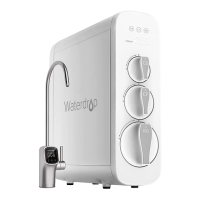
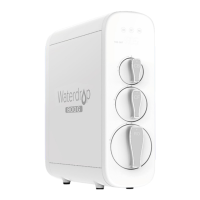
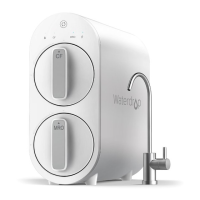
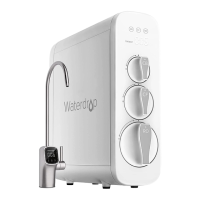
How to Flush the Filter after Replacement:
For the CF filter: Turn on the ROfaucet to flush for 5 minutes;
For the MRO filter: Turn on the RO faucet to flush for 30 minutes.
NOTE:If you rep ace the CFfilter and MROfilter at the sametime, turn on the faucet to flush for 30 minutes.
The fi tering •ndicator is flashing during flushing. You can stop flushing until the fi tering indicator changes
from flashing to permanent blue.
Section 4: Malfunction Display
Overworked Reminder:
When the systemcontinuous y makeswater for more than 30 minutes, the overworked reminder will be
executed and the buzzerwill beep for 3 minutes.The systemstops making water when working for over 33
minutes,and the fi tering indicator and power indicator areoff. Meanwhile,the CFand MROfi ter life
indicatorsflash red.The system needsto be powered on again to recoveritself.
Starting and Stopping Frequently Reminder:
The ROsystemwill perform a starting and stopping frequently reminder when the booster pump is
frequently started and stopped in 20 minutes.The systemwill stop making water, while the fi tering
indicator and power indicator areoff and the CFand MROfilter life indicatorsflash purple.Thesystem needs
to be powered on again to recover itsef.
System Maintenance
f you don't usethe systemfor more than one week,turn on the ROfaucet, shut off the cold water valve,and
disconnect the power. Sealthe filters and storeit in the refrigerator (not the freezer).You need to open the RO
faucet and allow it to run for 10minutes first before using the systemagain.Otherwise, you need to rep ace
the filters,asbacteria may grow when the systemis not usedfor a ong time.
• Pleaserep ace the filter regularly according to the fi ter life indicator.
NOTE:While the testing was performed under standard laboratoryconditions, actual performance may vary
depending on the source water quality and water usage.In caseof early blockage and failure of the filters,it's
recommended to replacethe filter in accordancewith the actual usage.
• Cleanthe systemwith clearwater. Do not spraythe water directly.Do not usesteelwool, anabrasivecleaner
or corrosiveliquid suchasgasoline or acetone.
• When cleaning,do not pour other liquids into the filter to avoid damage to the fi ter system.
• Keepthe waste water pipe unobstructed to avoid damage to the filter or internal components.
• When the drainpipe isblocked, do not use the system(pleaseturn off the power) to avoid waste water from
soakingthe floor.
• Checkthe systemand water pipe fittings regu arlyfor water eakageto avoid any property damage.
• Reguarly check whether the power supply and wiresaredamaged or looseto avoid major accidentscaused
by electric eakage.
• f you are using wel water asthe source,pleaseensurethat the feed water has been through a pre-fi tration
system.Otherwise, argepartic es in the well water will easiy clog the filter and shorten the filter life.
13


 To Next Page
 Loading...