Page | 6
Owner’s Manual
How to Perform Function Test
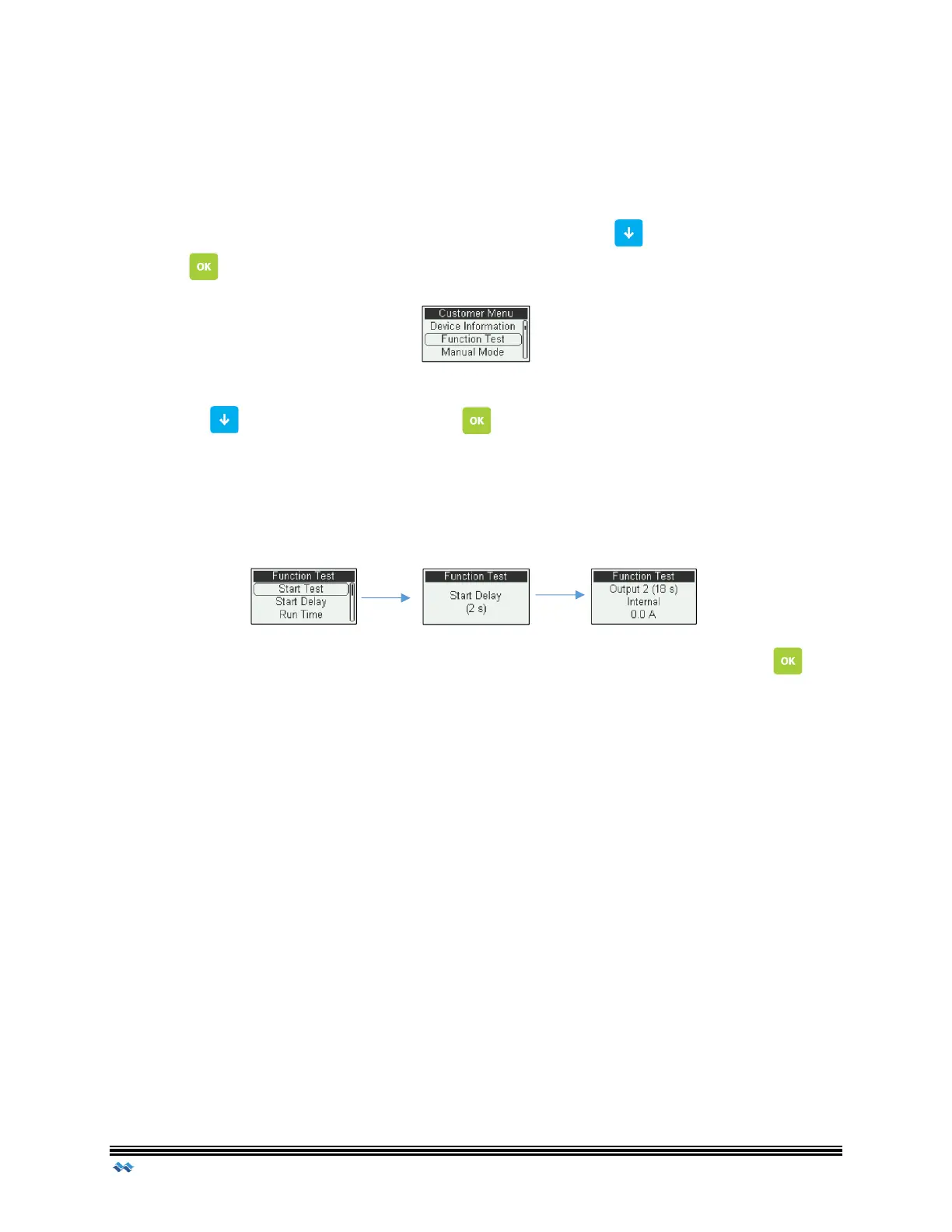
Function Test allows a user to perform a quick run through all the outputs to verify proper
operation and amperage readings. The cycle will run through all enabled outputs by
sequence, test the alarm and check the backup battery status.
Once the user has accessed the Customer Menu, scroll Down to Function Test and
Press OK
Scroll down to Start Test and press OK . A pre-set delay will start counting down
and the first Active output will turn ON.
The output will turn ON for the duration of the predetermine cycle. During this cycle the
current of the output will also be displayed at the bottom of the screen.
If the user wishes to skip the output, or go ahead and move to the next output, OK can
be pressed and the remaining cycle time for that output will be skipped. At the end of the
Function Test cycle the visual/audio alarms, as well as the backup batteries will be tested.



 To Next Page