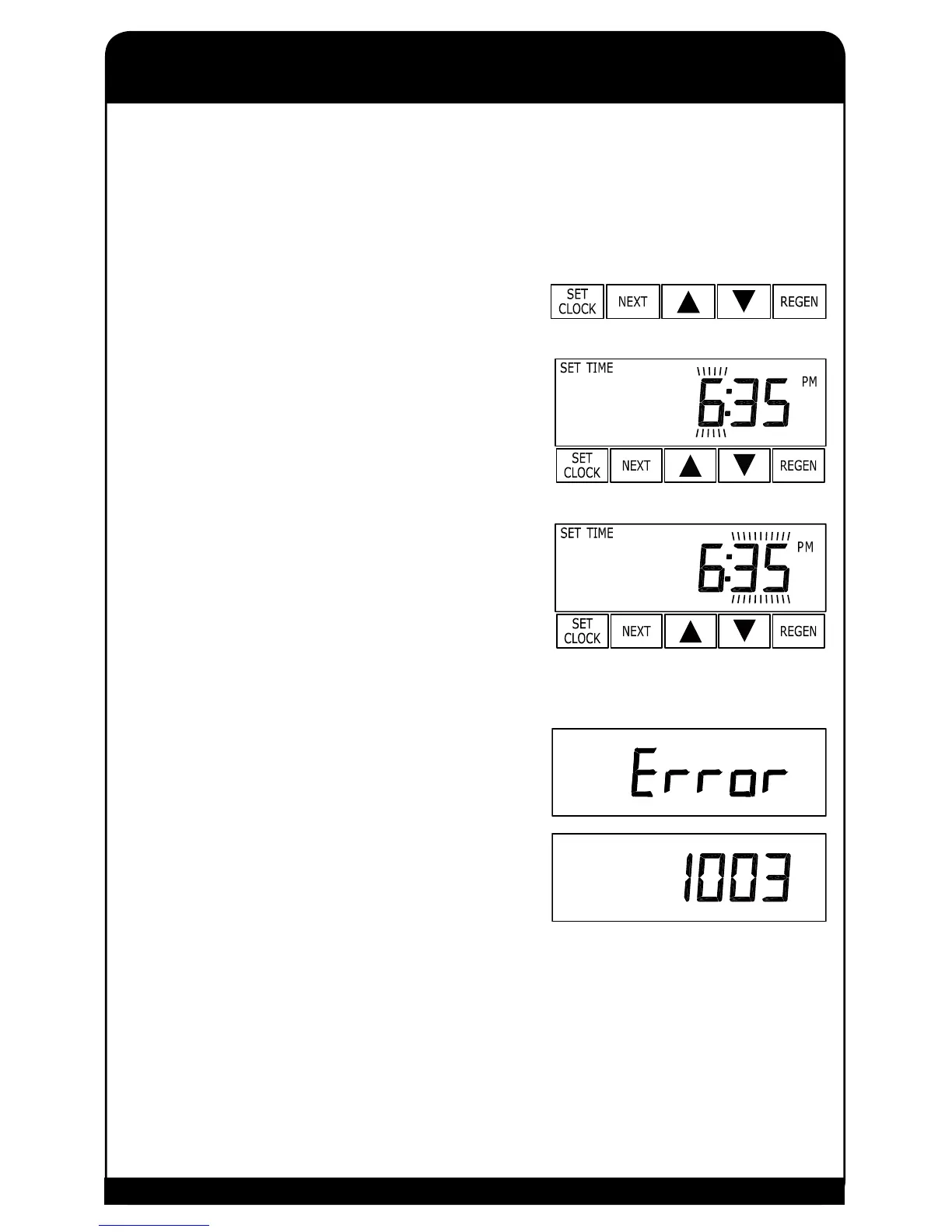
The user can also set the time of day. Time of day should only need to be set after extended power outages
or when daylight saving time begins or ends. If a power outage lasting longer than two hours occurs, the
time of day will ash on and off which indicates the time of day should be reset. All other inputs will be
retained by the system and will not need to be reprogrammed.
STEP 1
Press SET CLOCK.
STEP 2
Current Time (hour): Set the hour of the day using the 5 or 6
buttons. AM/PM toggles after 12. Press NEXT to go to step 3.
STEP 3
Current Time (minutes): Set the minutes of the day using the 5 or
6 buttons. Press NEXT to exit Set Clock. Press REGEN to return
to previous step.
ERROR MESSAGE
If the word “ERROR” and a number are alternately ashing on the
display, contact an authorized WaterTech dealer for service help.
This indicates that the valve was not able to function properly.
This is a rarely encountered malfunction.
8


 To Next Page