12 13
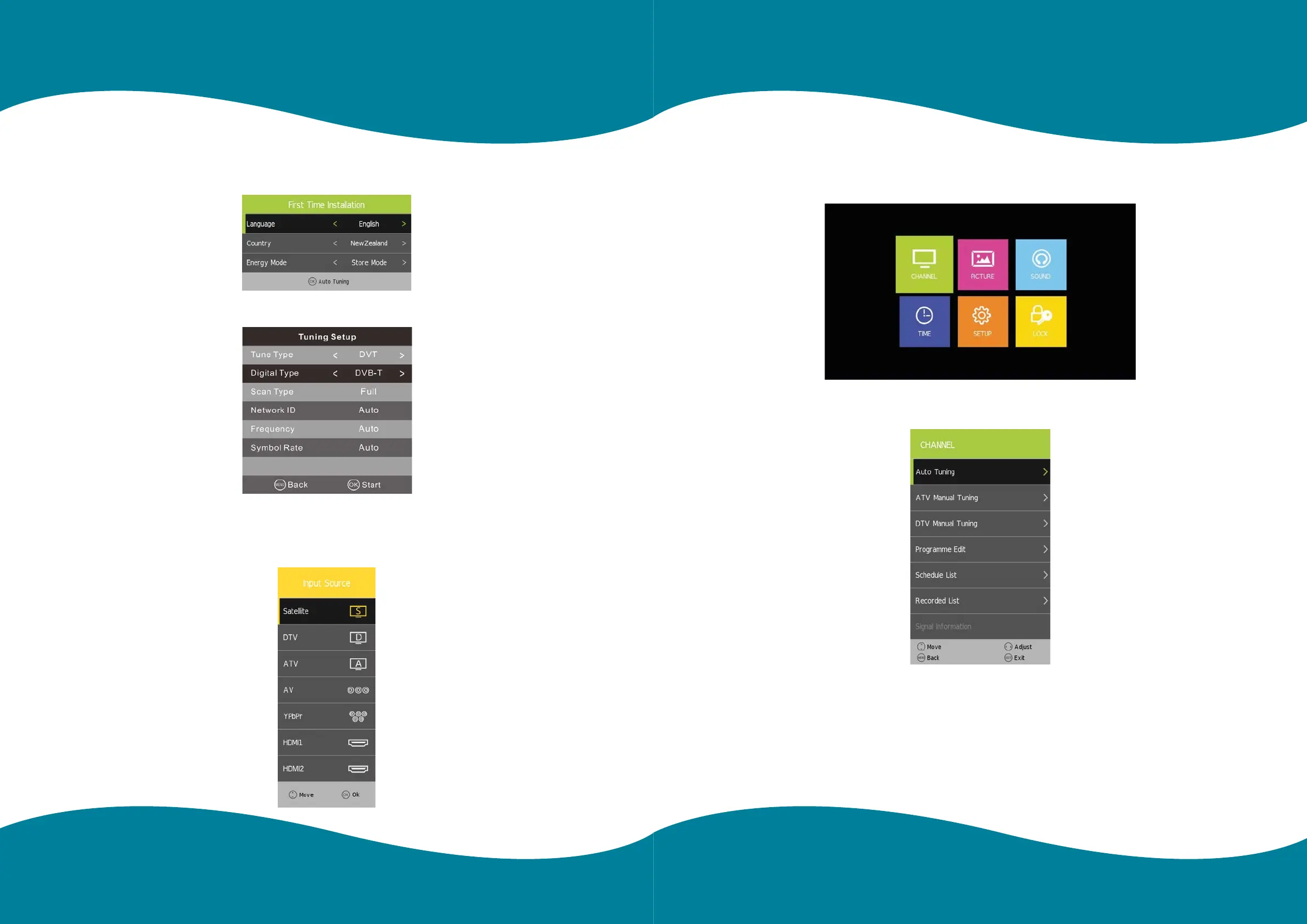
Step one: Shows the “OSD Language” for you to choose when setting up for the rst time.
Step two: Enter “Country” menu.
Step three: Enter “Energy” menu.
Enter “Tune Type” menu
Input Source
There are only 9 ports input source menu page.
It supports Satellite/DTV/ATV/AV/YPbPr/HDMI 1 /HDMl2/SMART TV/USB.
Press [MENU] key to show main menu. There are ve functions under main menu:
Channel, Input Source, Application, Media Play and Setting.
Press [LEFT]/[RIGHT] to select these functions.
Channel
Main MenuMain Menu


 To Next Page