Need help?
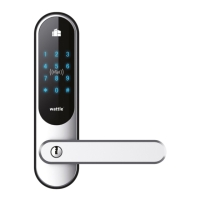
Do you have a question about the Wattle MPL TOUCH/SMART WHITE and is the answer not in the manual?
Explains the function and importance of the mechanical emergency key for lock operation.
Clarifies emergency key is for urgent use, advising contact with support for faults.
States WATTLE's disclaimer regarding costs for emergency key availability due to malfunctions.
Details lock fitting for left/right-hung doors and correct handle fixing procedures.
Explains the correct upward orientation of arrows on the square pin for exterior mounting.
Describes how to insert, turn, and remove the emergency key for unlocking the door.
Advises using supplied insulation to prevent moisture damage within the door and lock.
Emphasizes verifying the checklist before first closing the door during assembly.
Guides on removing spare keys and dismantling existing door hardware before installation.
Attaching the correct rubber gasket to the exterior unit and its mounting bracket.
Details drilling for oval cylinder locks and bracket placement for Euro cylinder locks.
Attaching the interior unit bracket, correct screw usage, and ensuring proper engagement.
Connects the exterior to interior unit using the cord and ensures gasket is not pinched.
Installs batteries correctly, attaches handles, and notes battery life and warnings.
Guides on testing handle, emergency key, and factory code before closing the door.
Provides specific guidance for fingerprint recognition, especially for users with shallow prints.
Details adding master and regular fingerprint users to the Wattle MPL Pro lock.
Explains how to remove existing fingerprint users from the lock system.
Guides on changing the main administrator PIN code for lock security.
Details adding more administrator PIN codes to manage the lock.
Explains how to add standard user PIN codes for everyday access.
Describes the process of removing PIN code users from the lock system.
Allows entering random numbers before/after the PIN for discretion with others.
Covers the process of adding and removing RFID cards or tags for access.
Explains activating modes that keep the door unlocked or manage locking behaviour.
Details how to activate and use the TUM feature for temporary unlocking.
Explains using the indoor keypad for locking and countdown features.
Describes using the power button for unlocking and locking standard units.
Explains how to disconnect or connect the power button for specific use cases.
Guides on re-activating ALM, requiring manual unlocking each time.
Details the procedure to open the door using the keypad from the exterior.
Describes activating/deactivating keypad lockout after failed PIN attempts.
Instructions on adjusting the volume level of the lock's audible feedback.
Explains how to replace lock batteries and confirms no re-programming is needed.
Steps to connect the lock to the Wattle smarthome system via the app.
Instructions on how to reset the lock module by holding a button for 12 seconds.
 General
| Category | Door locks |
|---|---|
| Lock Type | Smart Lock |
| Connectivity | Bluetooth, Wi-Fi |
| Power Source | Battery |
| Compatibility | iOS, Android |
| Finish | White |

 To Next Page