Need help?
Do you have a question about the Wattle PRO and is the answer not in the manual?
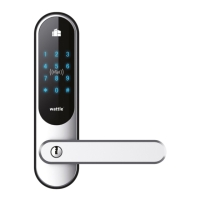
Displays the different available Wattle door lock models including Touch, Smart, and Pro versions in various colors.
Details regarding the mechanical emergency key, its use, and user responsibility in case of battery or electronic failures.
Tips on door orientation reversal, spindle alignment, insulation for condensation, and pre-assembly checklist verification.
Steps for removing the old mortise lock, installing the new one, and attaching the exterior door lock unit with gasket.
Instructions for fitting the interior unit, connecting the cord, inserting batteries, and attaching the handles.
Essential checks for handles, mortise lock bolt, emergency key, and hook bolt engagement before closing the door.
Guide for adding and managing users via fingerprints (DOOR PRO), PIN codes, and access cards.
Covers temporary unlocking (TUM), auto-locking modes, and inside unit power button operations.
Adjusting volume, anti-malicious use setup, hiding PIN codes, and battery replacement.
Instructions for opening the door using the exterior keypad, inside touch panel, and access cards.
Steps to connect Wattle Door lock Smart and Pro versions to the smarthome system via the Wattle app.
Procedure to reset the lock module for re-pairing with the smarthome system.
 General
| Brand | Wattle |
|---|---|
| Model | PRO |
| Category | Door locks |
| Language | English |


 To Next Page