Need help?
Do you have a question about the Wattle TOUCH and is the answer not in the manual?
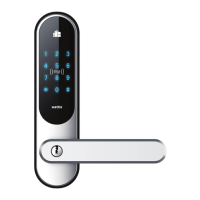
Overview of the Wattle Door Lock Touch in white finish.
Overview of the Wattle Door Lock Touch in black finish.
Overview of the Wattle Door Lock Smart in white finish.
Overview of the Wattle Door Lock Smart in black finish.
Overview of the Wattle Door Lock Pro in white finish.
Overview of the Wattle Door Lock Pro in black finish.
Instructions for reversing the lock housing direction for various door types.
Ensuring correct alignment of the outdoor unit with arrows pointing upwards.
Details on how to use the emergency key and its importance.
Using supplied insulation to prevent condensation and moisture damage.
Importance of checking the checklist before final door closure.
Installing the mortise lock, ensuring correct orientation, and fastening.
Attaching the exterior unit, gasket, and spindle, noting arrow direction.
Placing and securing the interior unit bracket and screws.
Attaching the rubber gasket and connecting the cord between units.
Inserting batteries correctly and attaching the battery cover.
Fixing handles and noting battery life for normal use.
Testing the inner handle movement with the mortise lock pin.
Verifying the hook bolt retracts when the inner handle is turned.
Testing the emergency key to activate the exterior handle.
Using the factory code to unlock the door and confirm operation.
Checking the hook bolt extends fully when the door is closed.
Important notes on fingerprint identification for the Wattle Door Pro model.
Steps to add master and regular fingerprint users, and delete users.
Instructions for programming admin, user PIN codes, and deleting users.
Steps to enter a PIN code to unlock and open the door.
Using the interior keyboard to lock the handle, with fire safety considerations.
Procedure for adding up to 999 cards with user IDs.
Steps to remove existing access cards from the lock system.
How to activate and use the TUM mode for temporary unlocking.
Restoring the default automatic locking mode after changes.
Functionality of the inside power button for the Touch & Smart models.
How to change the volume of audible feedback from the lock.
Activating a feature to temporarily disable the keypad after failed attempts.
Using extra numbers to mask the actual PIN code for security.
Instructions on how to replace batteries when the power is low.
Steps to connect the Wattle lock to your smarthome system via the app.
Procedure to reset the lock module for re-pairing or troubleshooting.
 General
| Compatibility | iOS, Android |
|---|---|
| Remote Access | Yes |
| Voice Control | Amazon Alexa, Google Assistant |
| Lock Type | Deadbolt |
| Connectivity | Bluetooth, Wi-Fi |
| Power Source | Battery |
| Auto Lock | Yes |
| Keypad | Yes |

 To Next Page