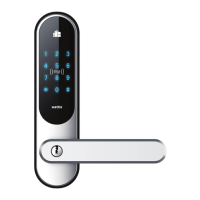
ADD USERS
The lock can have 999 PIN code users added with User ID 003-999.
The admin users are added on 000 – 001 and 002. The admin users
are administrators who manage the other PIN code users. The pin
code can be from 1 to 10 numbers. The factory set admin user code
is 123 #. It is important to remember the user id when you need to
delete codes and cards.
PROGRAM ADMIN USER
PROGRAM THE OTHER TWO ADMIN USERS
Sequence: * 000 123 * new admin code * new code again *
Example: * 000 123 * 3456 *3456 *
If the programming succeeds, the green LED will light up and one long
beep will be heard.
(It is optional to enter two additional master codes, you can also just have
one master code)
Sequence: * 001 admin User * new admin code * new admin code again *
Example: * 001 3456 * 6789 * 6789 *
If the programming succeeds, the green LED will light up and one long
beep will be heard.
A
B
PROGRAM OTHER PIN CODE USERS
(User codes are added to user number between 003-999)
Sequence: * 003 admin User * new pin code * new pin code again *
Example: * 003 3456 * 2323 *2323 *
If the programming succeeds, the green LED will light up and one long
beep will be heard.
C
DELETE USERS
Sequence: * User ID to delete, one o the admin user code #.
Example: * 003 3456 #
If the user is deleted successfully, the red LED will blink.
The Admin users cannot be deleted this way. You can only change the code
on users 000 – 001 and 002.
Example: * 000 admin code * new admin code * new admin code again *
35


 To Next Page