1 Read this manual, ideally from start to nish, so that you understand the whole
installation process before you begin.
2 Find the best antenna position (Pages 6-9). This step takes the most time, but getting it
right has a huge impact on your system’s performance. Even if you’re installing indoors,
we recommend a few tests outside. Note your ndings in the table provided on page 9.
3 Verify performance and connect everything (Pages 10-11). Before making any holes
in your roof or walls you’ll fully connect your system and run speed tests. If everything
looks good, you’ll nalize the cable runs and hard-wire everything.
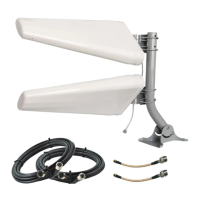
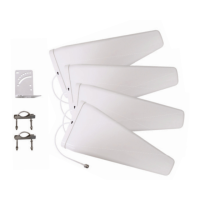
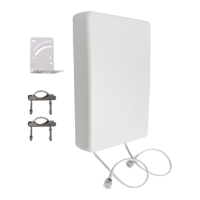
4 Mount your QuadMini antennas (Page 12-13). You’ll assemble each QuadMini with one
of their mounting options at your choice of antenna position.
5 Tell us how your system is doing. Nothing makes our day like hearing from customers.
And if for any reason you’re not seeing the results you were hoping for, we can help.
Call (800) 761-3041, email help@waveform.com, or book a meeting at
waveform.com/meet. We’re available from 6am-5pm PT, Monday to Friday.
How Much Improvement Should You Expect?
In short: It’s hard to say. Many people see an increase in data rates of between 50% and
200%, but some people may only see 10%. Despite all the science, wireless signals often work
in strange and magical ways.
Two things are for sure: The more spots you try the more likely you are to see a big increase in
data speeds. Also, you’re more likely to nd better performance when installing outdoors.
If you’ve gone through this manual and positioned your QuadMini antennas as we suggest,
but you’re still not seeing much improvement, please reach out to us for help.
What Tools Do You Need?
Your QuadMini Duo includes all of the tools necessary for assembly. If you’re wall mounting
your antenna, you’ll need a phillips-head screwdriver and you may need a drill.
For the UltraPole, please refer to the manual included in the package or nd the manual
online at waveform.com/ultrapole-manual.
Install Process Overview
01
5


 To Next Page
 Loading...