RS232 Protocol
Command Format
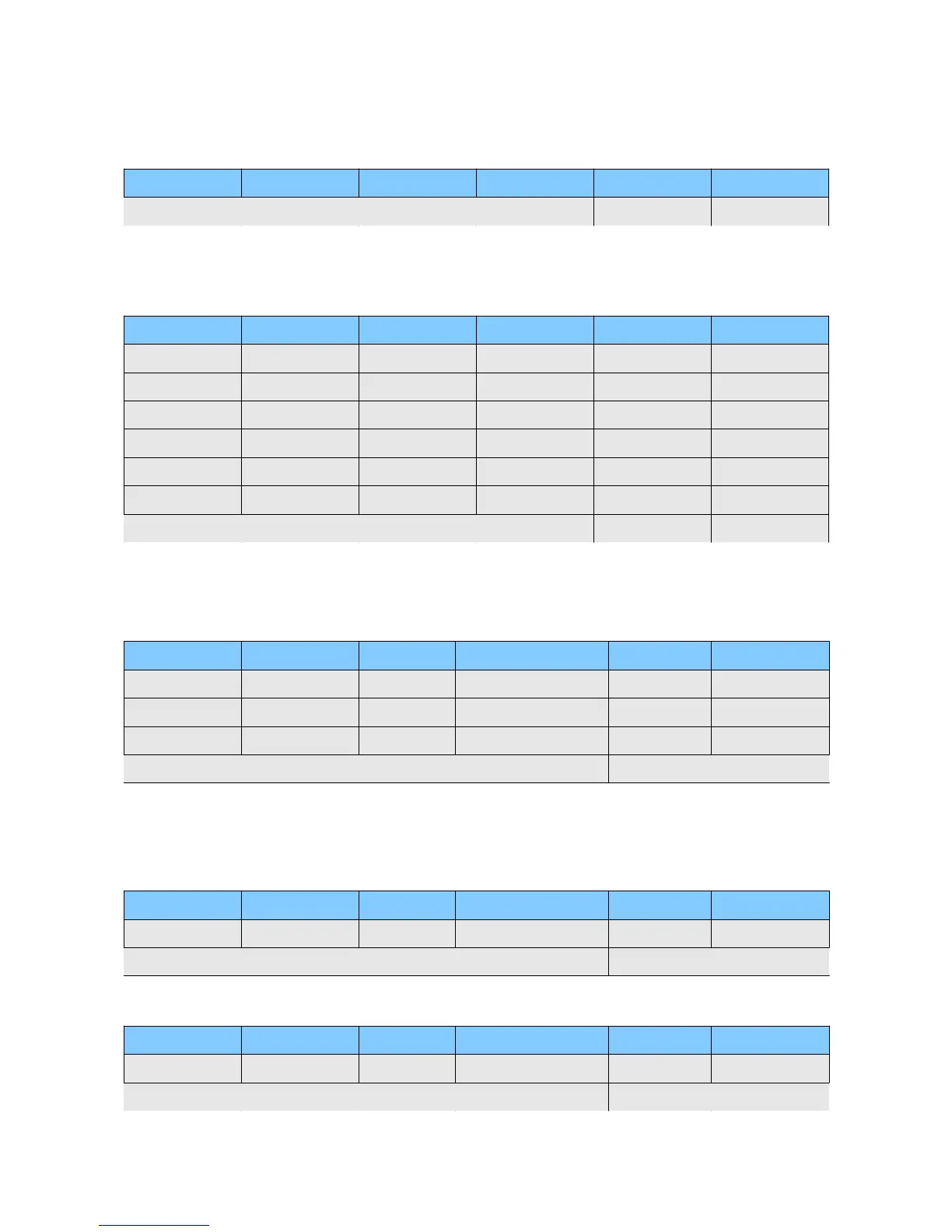
Start Value(fix) Device ID Command Parameter 1 Parameter 2 Checksum
0x86 0...255 xx xx xx CRC-8
KEY Command
Start Value(fix) Device ID Command Parameter 1 Parameter 2 Checksum
0x86 0...255 0 0=STOP 0 CRC-8
1=PAUSE
2=PLAY
3=MENU
4= PLUS
5= MINUS
6= RELEASE*
PLAY, STOP Command
Using play command requires to have numbers in front of the song names. These numbers need to
have two digits. (01 first song 02 second song, 03 third, ...)
Start Value(fix) Device ID Command Parameter 1 Parameter 2 Checksum
0x86 0...255 1 00=STOP 0 CRC-8
01=PLAY (01 ...)
...
99=PLAY (99 ...)
SET VOLUME Command
The volume is calculated as follows: Volume = Parameter2 * -0.5dB
Example: 0 = 0dB (max), 255 = -127,5dB(min)
Start Value(fix) Device ID Command Parameter 1 Parameter 2 Checksum
0x86 0...255 2 0=MAINVOLUME 0-255 CRC-8
1-8=CH VOLUME 0-255
CHANGE VOLUME Command
Start Value(fix) Device ID Command Parameter 1 Parameter 2 Checksum
0x86 0...255 4 0=MAINVOLUME 0=+0.5dB CRC-8
1-8=CH VOLUME 1=-0.5dB


 To Next Page