2. Description of the player
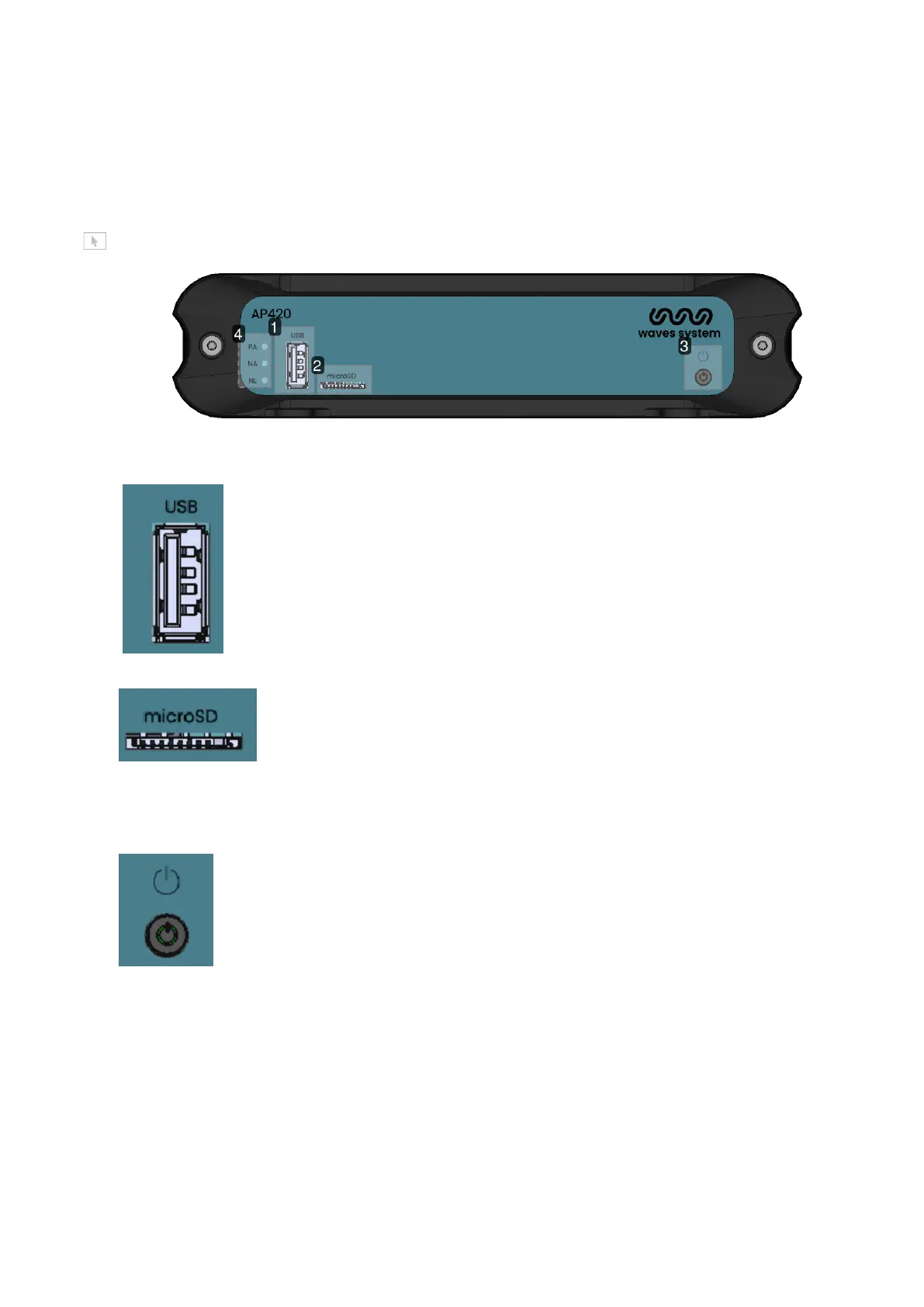
Front panel of the player AP420
Introduction of player AP420
1 USB Port
Plug your USB stick and select the front USB in the web interface>Main
settings>storage.
2 µSD slot
Plug your µSD and select the microSD in the web interface>Main settings>storage.
3 Power button
This button enables to power off and power on the product. It can also activate rescue modes.
Activity LED


 To Next Page