How to Connect
Connecting a SoundGrid server to a SoundGrid network is easy. Simply connect a Cat
6 cable from the server's rear-panel WSG port to your SoundGrid-compatible switch.
For a list of compatible switches, consult
http://www.waves.com/support/network-switches-for-soundgrid-systems
Minimum Network Latency Settings
The Network Latency is the round-trip time from the SoundGrid I/O to the SoundGrid
server and back. This setting is controlled by the user through the SoundGrid host.
There is, however, a recommended minimal network latency.
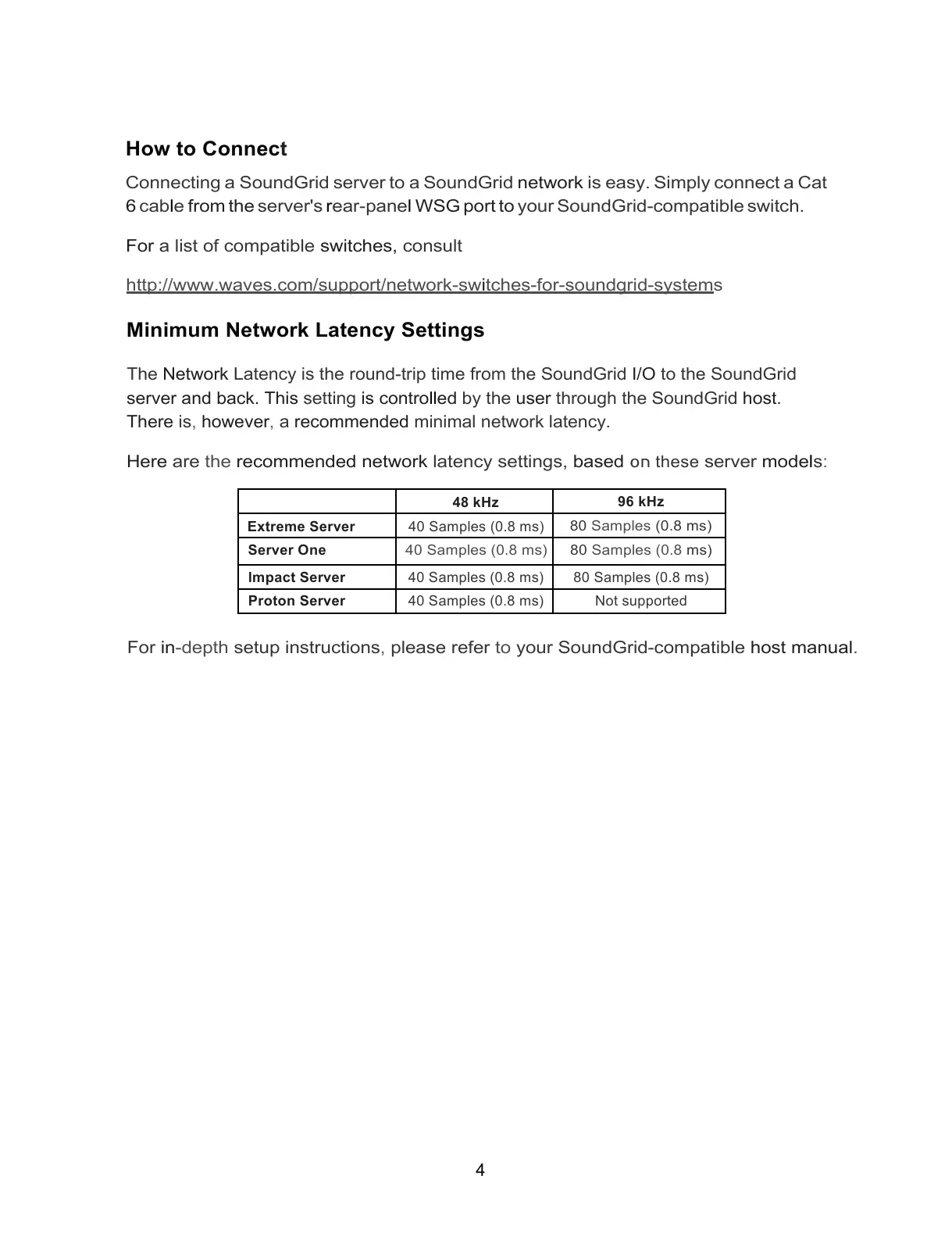
Here are the recommended network latency settings, based
חס these
server models:



 To Next Page