L76X GPS HAT User Manual
10 / 15
Plug L76X GPS HAT to Raspberry Pi, short B by yellow jumpers
COPY EXAMPLES
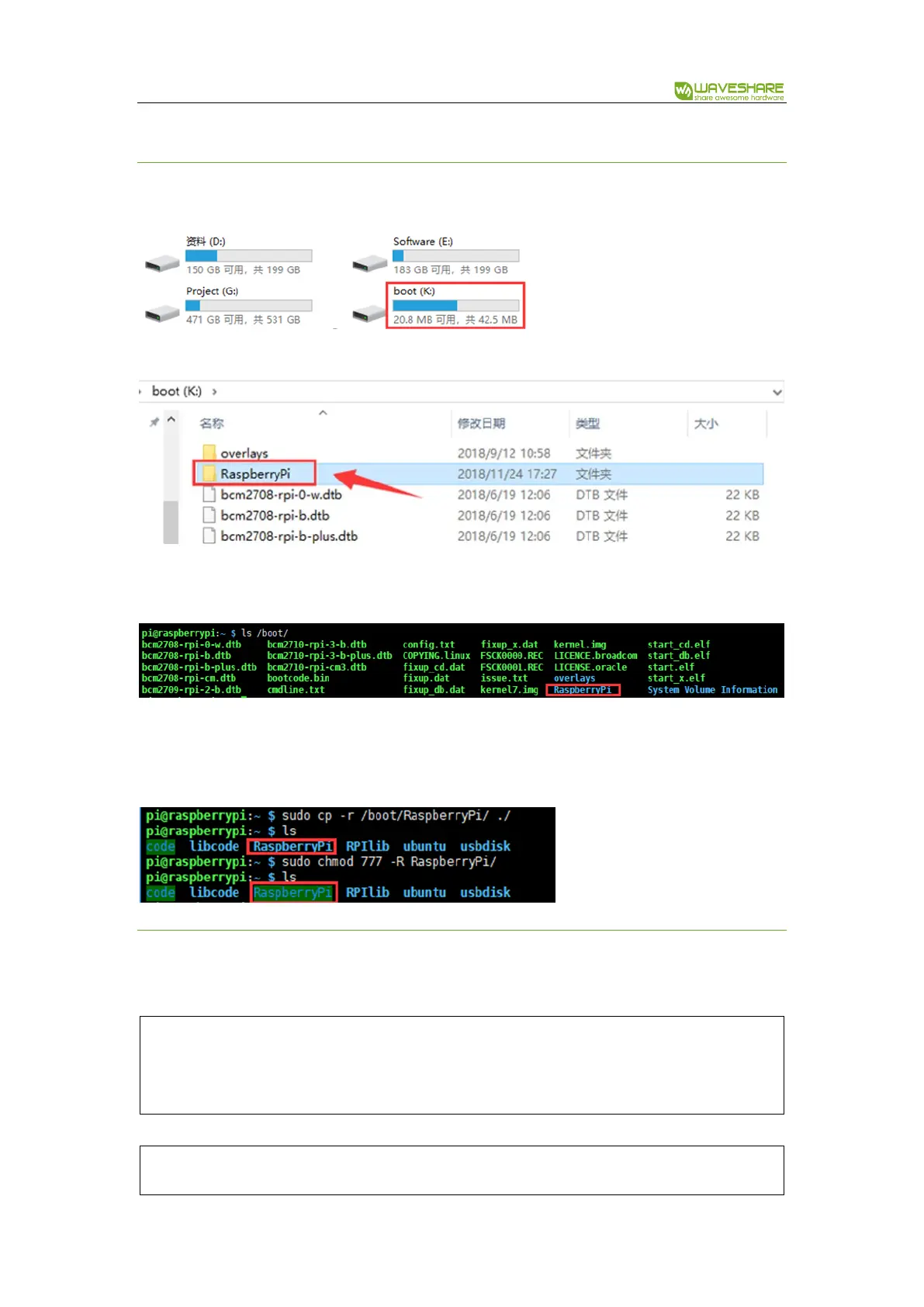
Insert SD card (which has installed Raspbian image) to PC by card reader
Copy Raspberry Pi examples ( the folder we download and unzip above) to BOOT directory of SD card
Exit and insert the card to Raspberry Pi, then start.
Check it: ls /boot
Copy it to /home/pi
sudo cp -r /boot/RaspberryPi/ ./
sudo chmod 777 -R RaspberryPi/
INSTALL LIBRARIES
Examples should be used with libraries installed
Install wiringPi:


 To Next Page