L76X GPS HAT User Manual
7 / 15
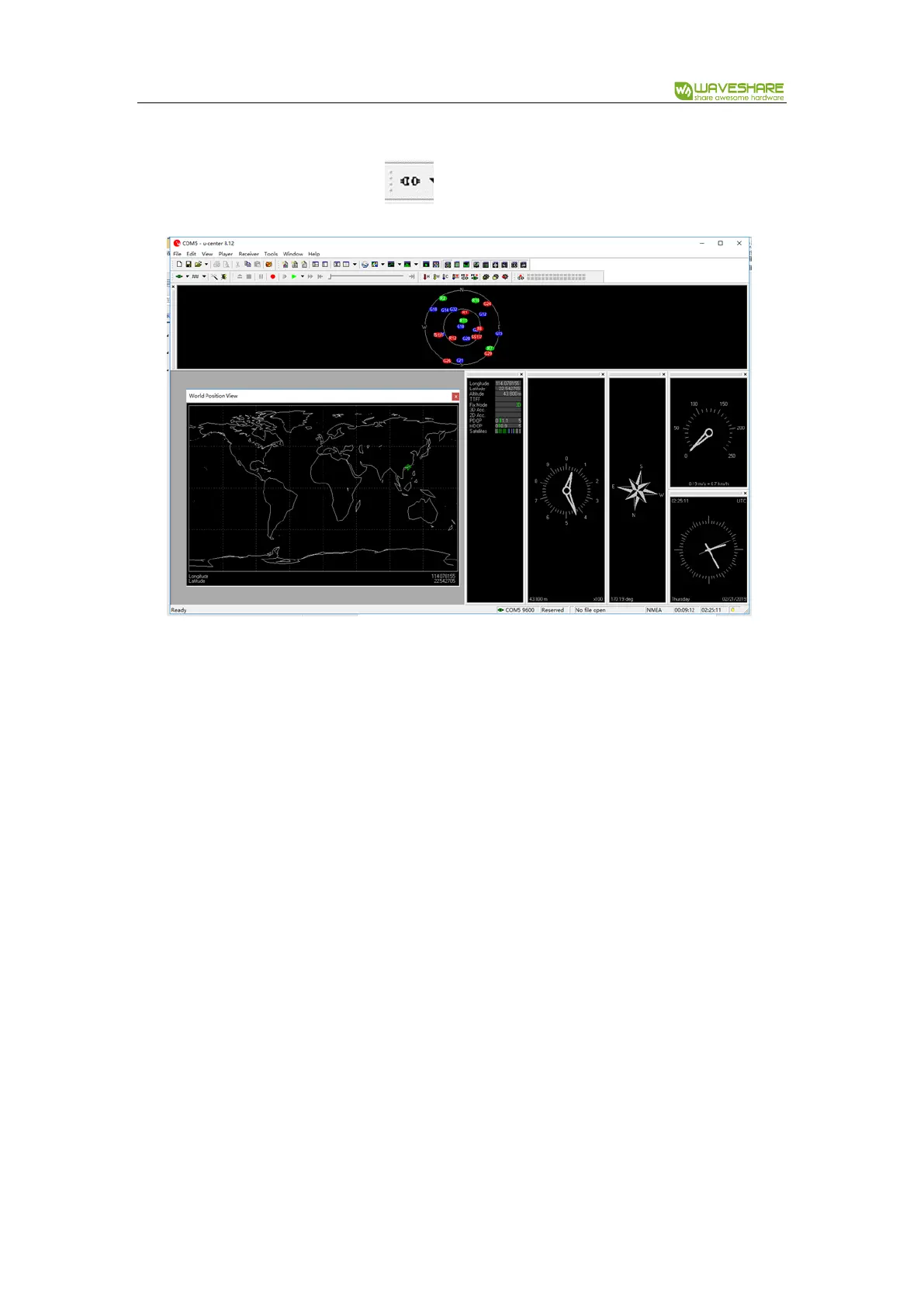
6. Download U-center software from wiki. Unzip it and install. Open U-center software, click
Receiver menu, choose Port, and select the correct com port (refer to Devices Manager). Set
baud rate: 9600 then click button to connect L76X GPS HAT. U-center display
information after connecting.
7. If you want to check the area better, you can install GoogleEarthPluginSetup.exe tool, which
allow you to choose Google Earth under View menu
【Note】The result you get from Google Earth maybe different with actual area because of
dynamic drift of GPS


 To Next Page