12
•
Expanse XP20 User Guide
back of the sensor above the black tab on the end of the mount
and sliding down.
3 Tighten the thumb screw on the sensor; for a more secure
installation, finish tightening with a screwdriver.
Aligning the sensor to the roadway
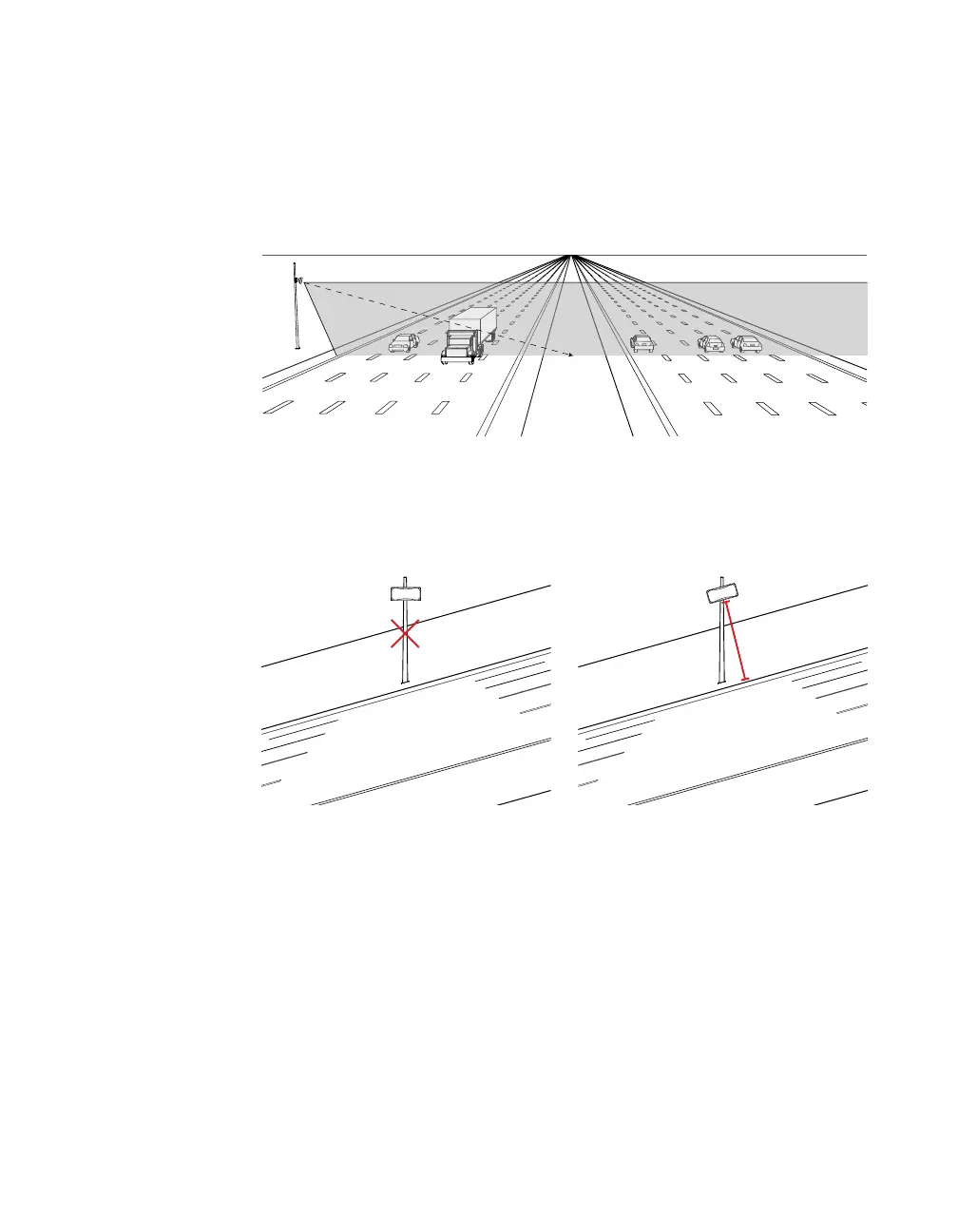
Figure 6. Up-and-down positioning
1 Tilt the sensor down so the front is aimed at the center of the
detection area.
Figure 7. Rotating the sensor on a hill: incorrect (left) and correct (right)
2 Be sure the sensor is parallel to the slope of the road; if the
sensor is installed on a road with an uphill/downhill grade,
rotate the sensor so that the bottom edge matches the grade of
the road.



 To Next Page