Chapter 2: Installing the XP20
•
13
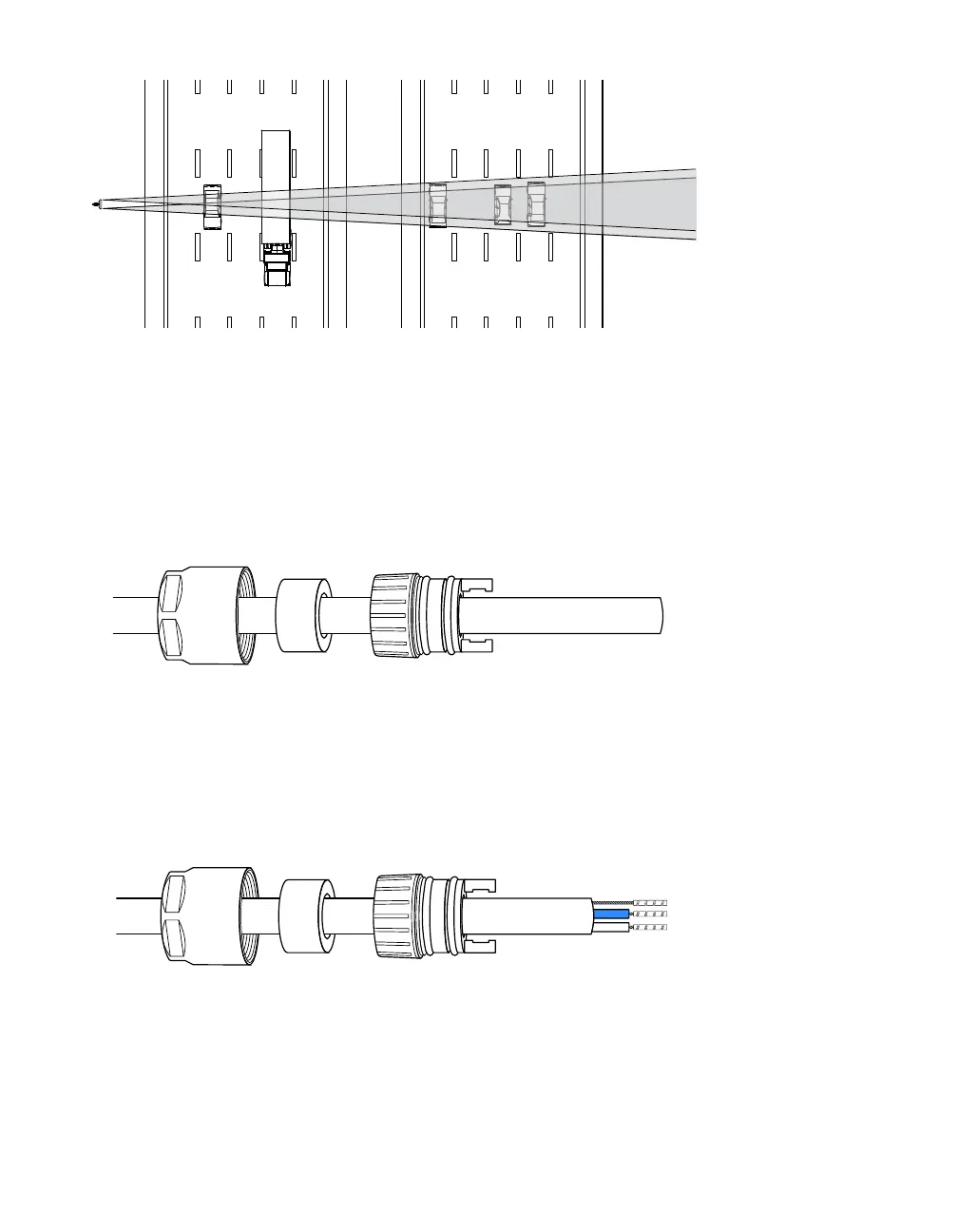
Figure 8. Side-to-side positioning
3 Adjust the side-to-side angle so it’s perpendicular to the flow of
trac.
4 Once you are satisfied with the sensor alignment and position-
ing, tighten all bolts in the mount.
Assembling the cable
Figure 9. Cable with backshell nut, rubber seal, and clamping ring
1 Slide the backshell nut over the end of the cable.
2 Select the closest-fitting rubber seal for your cable; slide it over
the end of the cable.
3 Slide the clamping ring over the end of the cable.
Figure 10. Cable with ferrules on conductors
4 Strip back the cable insulation 16 mm.
5 Cut o the shield braid and foil, but do not remove the uninsu-
lated drain wire.
6 You should have two insulated condutors and one uninsulated
Note. You will
double-check
the alignment
of the sensor in
the software.



 To Next Page