EasyManua.ls Logo

Wavlink AERIAL HD4 - User Manual

Wavlink AERIAL HD4
2 pages
Print Icon
To Next Page IconTo Next Page
Loading...
REV.E1
Hardware Overview
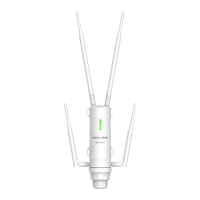
Primary Extender
Default Parameters
Web: http://wifi.wavlink.com
Default IP: 192.168.10.1
Login Password: admin
LED indicators
POWER
ON: The Device is powered on
OFF: The Device is not receiving electrical power.
LAN/WAN
ON: The Ethernet port is connected.
OFF: The Ethernet port is disconnected.
AC1200
High Power
Outdoor Gigabit Wi-Fi Range Extender
WL-WN572HG3
2.4G SSID: WAVLINK-N
5G/AC SSID: WAVLINK-AC
Wireless Key: no
Wi-Fi Signal
Mode
AP/Router
Repeater
WISP
ON ON ON
ON
ON
ON
ON ON
ON OFF
OFF
OFF
OFF
OFF
Flashing
Description
Wi-Fi Signal output power 100%
Better reception: signal strength 75% to 100%
Good reception: signal strength 50% to 75%
Weak reception: signal strength below 50%
Disconnected
Assembly
A1. Fasten the main body holder A2. Plug in the Device
A3. Connect one end of an Ethernet cable to “ POEport of POE converter.
A4. Connect one end of an Ethernet cable to LAN DATA IN port of POE
converter, and connect the other end to a LAN port of your Router.
A5. Plug in the power connector to the DC24V port of POE converter,
then plug the power adapter into an electrical outlet.
A6. Push the “ON/OFF” button on the POE converter to power on.
POE
Converter
A3
A4
A5
A6
A7. Connect to the Device
OPTION ONE
LAN to Wi-Fi Extension Quick Setup
Recommend for big yard
Installation
For Windows User
1. Unplug the Ethernet cable from your
computer (if any).
2. Click the Wireless Network Connection
icon on your taskbar.
3. Click the refresh icon and connect to the
Device‘s network: WAVLINK-N or
WAVLINK-AC.
For Mac OS X User
or
1. Unplug the Ethernet cable from
your computer (if any).
2. Click the Wi-Fi icon in the top right
corner of the screen, and connect
to the Device’s network: WAVLINK-N
or WAVLINK-AC.
WAVLINK-N
WAVLINK-AC.
WAVLINK-N
WAVLINK-AC.
2.4G RP-SMA Antenna Connectors
3 x Wi-Fi Signal LEDs
Wi-Fi LED
WAN/LAN LED
POWER LED
Reset button
LAN Port (POE)
Grounding Terminal
Support passive POE power supply via
Ethernet cable.
1. Ensure you use a certified CAT5e/CAT6
Ethernet cable with RJ45 connectors.
2. Ensure the length of the Ethernet cable is
less than 60 meters (196ft.).
ATTENTION:
A8. Launch a web browser and type
http://wifi.wavlink.com in the
address field. Enter (all admin
lowercase) to login.
If the login window does not
pop up, please refer to the
FAQ>Q1.
A9. Click “Wizard.
A10. Click “AP(LAN Bridge).
For Single Band (2.4G) Users
1. Launch a web browser and type
http://wifi.wavlink.com in the
address field. Enter (all admin
lowercase) to login.
If the login window does not
pop up, please refer to the
FAQ>Q1.
Change Login Password
NOTE: The default login password of the Device is admin, We
strongly recommend you change the default login password.
2. Click Setup->
Login Password.
3. Enter the old password,
then enter the new password
and click Apply.
For Dual Band (2.4G+5G) User
A11. Choose a Security Type.
A12. Enter your password for your
extended network.
A11. Choose a Security Type.
A12. Enter your password for your
extended network.
Note:
Some routers might not be compatible with
WL-WN572HG3. If it doesn't work, please:
a. Click the icon at Static IP column to
ON.
b. Enter the info correspondingly.
c. Try again.
Configuration
WAVLINK-N
WPA/WPA2 Mix
WAVLINK-N
WAVLNIK-AC
WPA/WPA2 Mix
ON: The Ethernet port is connected.
OFF: The Ethernet port is disconnected.
LAN
5G RP-SMA Antenna Connectors
LAN LED
WAN/LAN Port (POE)
4
3
2
1
7
8
9
5G 2.4G
5
6
Spin 5G antenna into the
5G External RP-SMA
connector
Spin 2.4G antenna into the
2.4G External RP-SMA
connector
Connect the RJ45
cable to RJ45 Port
Pass RJ45 cable through
the holder
Pass RJ45 cable through
the Rubber seal
Pass RJ45 cable through
the spiral cover
Screw the holder
plug the rubber seal to
the holder
Screw the spiral cover
Quick Installation Guide
Question and Answer IconNeed help?

Do you have a question about the Wavlink AERIAL HD4 and is the answer not in the manual?

Summary

Hardware Overview

Primary Extender and LED Indicators

Details the primary extender's physical components and status LED indicators for power, LAN, and Wi-Fi signals.

Assembly Instructions

Provides step-by-step guidance on how to physically assemble and connect the antennas and grounding terminal.

Default Parameters and Modes

Lists default web access, IP address, login credentials, and explains different operational modes (AP/Router, Repeater, WISP).

Option One: LAN to Wi-Fi Extension Setup

Connecting the Device

Instructions for connecting the device to a computer via Wi-Fi for Windows and Mac OS X users.

Installation Steps

Details the physical connection process using the POE converter, including power and network cable connections.

Configuration

Guides through device setup for Single Band (2.4G) and Dual Band (2.4G+5G) networks using the wizard or AP mode.

Changing Login Password

Instructions on how to change the default administrator password for enhanced security.

Option Two: Wi-Fi to Wi-Fi Extension Setup

Installation and Connection

Covers initial installation and connecting the device to the network, referencing Option One steps.

Repeater Configuration

Guides users through selecting Wi-Fi network, entering passwords, and verifying settings for repeater mode.

Device Relocation

Provides advice on finding the optimal location for the device to achieve the best Wi-Fi signal strength.

Firmware Upgrade

Instructions and warnings regarding the process of upgrading the device's firmware to fix bugs or improve performance.

Support and Compliance

Frequently Asked Questions

Addresses common issues like login page problems, factory reset, LED status, and MAC filter conflicts.

Best Location Tips

Visual guide to identifying ideal spots for device placement using Wi-Fi signal strength indicators.

Licensing and Disposal

Information on GNU General Public License (GPL) and WEEE Directive for product recycling and disposal.

Wavlink AERIAL HD4 Specifications

General IconGeneral
ModelAERIAL HD4
CategoryExtender
Maximum Speed1200 Mbps
Antennas4 x External Antennas
Input100-240V, 50/60Hz
Wireless Standard802.11ac
Frequency Band2.4GHz & 5GHz
SecurityWPA-PSK/WPA2-PSK
ButtonWPS Button
Operating ModesAP
Power Supply12V/1A

Related product manuals