EasyManua.ls Logo

wbox 0E-RCKMT700 - User Manual

wbox 0E-RCKMT700
28 pages
Print Icon
To Next Page IconTo Next Page
Loading...
COPYRIGHT © 2020 ADI
EN
USER’S MANUAL
Rackmount Series
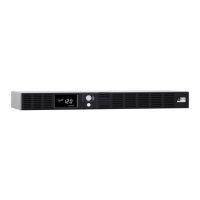
0E-RCKMT700
K01-1101072-01

Questions and Answers

  • R
    Rachel FordAug 11, 2025
    What to do if my wbox UPS will not turn on?
    • D
      Deborah LeblancAug 12, 2025
      If your wbox UPS won't turn on, it could be due to the on/off switch needing a reset. Turn the UPS off, wait 10 seconds, and then try turning it back on. If this doesn't work, the battery might be worn out or there could be a mechanical issue, and you should contact W Box Tech Support for assistance.
  • M
    Mrs. Kristine Willis DDSAug 19, 2025
    What to do if the surge protection outlets on my wbox UPS stop working?
    • S
      Spencer HardyAug 19, 2025
      If the full-time surge protection outlets on your wbox UPS stop providing power, it's likely due to a tripped circuit breaker caused by an overload. To resolve this, turn the UPS off and unplug some equipment. Wait 10 seconds, then reset the circuit breaker by pressing the button. Finally, turn the UPS back on.
  • J
    John MooreAug 27, 2025
    Why is the Power Management Software inactive on my wbox UPS?
    • A
      Alexander WilliamsAug 27, 2025
      If the Power Management Software is inactive, ensure the USB cable is securely connected between the wbox UPS unit and an available USB port on your computer. If the issue persists, try shutting down your computer, turning off the UPS, waiting 10 seconds, and then turning the UPS back on. This should reset the unit.
  • M
    Michael HarrisSep 3, 2025
    Why is my wbox 0E-RCKMT700 not providing the expected runtime?
    • H
      Howard BoydSep 3, 2025
      If your wbox UPS isn't providing the expected runtime, the battery might not be fully charged. Try recharging it by leaving the UPS plugged in. If the problem continues, the battery may be wearing out, and you should contact W Box Tech Support for assistance.

wbox 0E-RCKMT700 Specifications

General IconGeneral
Input Frequency50/60 Hz
Output Frequency50/60Hz
Operating Temperature0°C to 40°C
Input Voltage220-240V AC
Output Voltage220-240V AC