REPLACING THE BATTERY (CONTINUED)
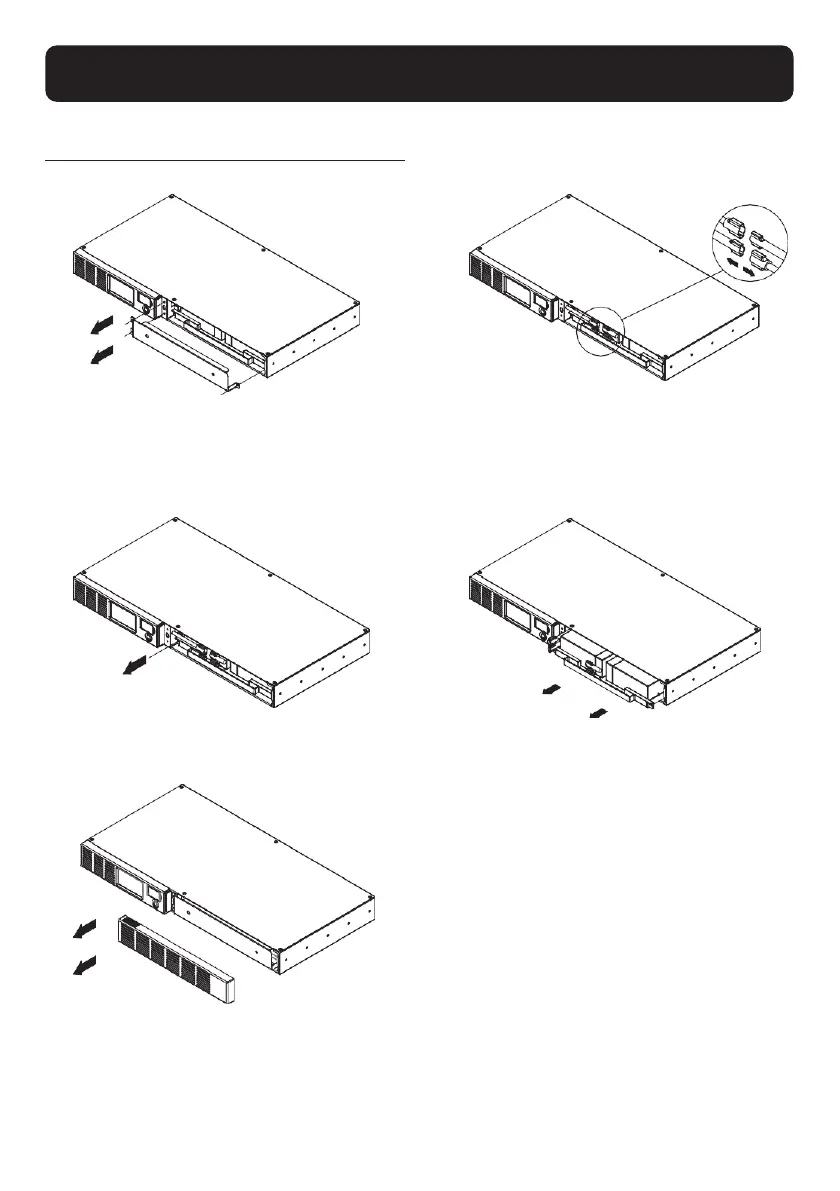
BATTERY REPLACEMENT PROCEDURE:
1
Remove the right-side of the faceplate.
2
Remove the three retaining screws on the
cable protection cover then remove the cover.
3
Disconnect the black and red cable.
5
Replace the new battery pack. Assemble
the screws, cover, cable and front panel in
the reverse sequence of above steps.
Recharge the unit for 8 hours to ensure
the UPS performs expected runtime.
4
Remove the retaining screw of the
cable connectors.


 To Next Page