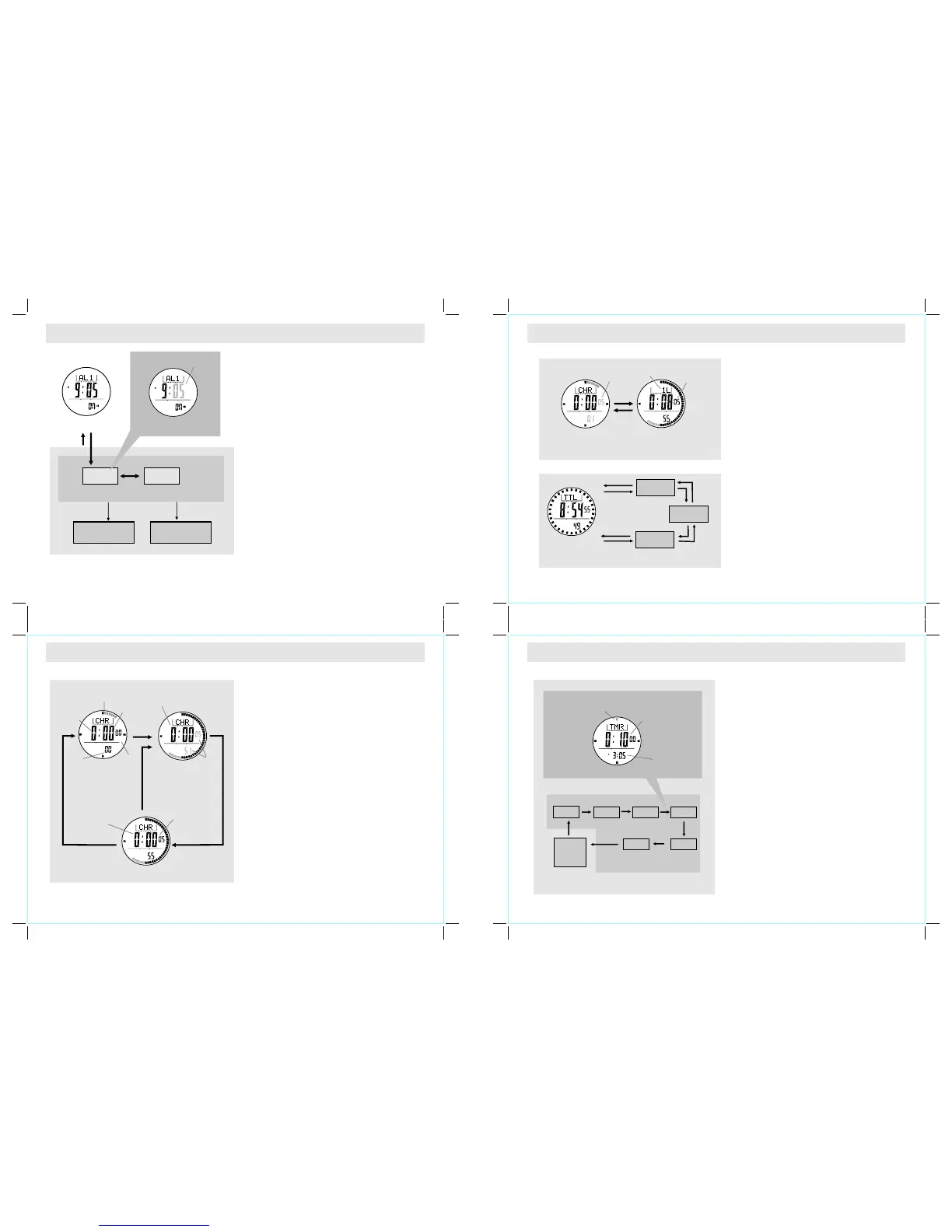
5.1 Daily Alarm Mode - Setting the Alarm
6.0 Chronograph Mode - Start/Stop the Chronograph
6.1 Chronograph Mode - Recording and Recalling Lap Time
7.0 Timer Mode - Countdown Timer and the Quick-Set-Value
How to Set the Alarm 1 and Alarm 2
! To select the setting display, hold the [M] button
for about 2 seconds in the Alarm 1 (2) Display,
then the flashing "SE T" icon will appear.
! In the setting display, press the [M] button to
change the selection between minute and hour.
! When the digits are flashing (selected), press
the [S/S] or [L/R] button to increase / decrease
the number. (Hold down the button to change
the number at a higher speed).
! When the setting is completed, press and hold
the [M] button to exit the setting display.
Chronograph Mode
! The Watch includes a function to measure
elapsed time, accumulative elapsed time and
lap times - Chronograph Mode.
! The display shows an 'All Zeros' display
when the chronograph is selected the first
time or it is reset.
How to Start/Stop the Chronograph
! W h en th e c hrono grap h i s s t oppe d ( n ot
counting), press the [S/S] button once to
start the chronograph (counting); press the
[S/S] b u t t o n o n c e a g a i n t o s t o p t h e
chronograph (not counting).
How to Reset the Chronograph
! To record a new set of elapsed time, hold
the [L/R] button for 2 seconds to reset the
chronograph to the 'All Zeros' display when
the chronograph is stopped.
! In the 'All Zeros' display, the chronograph is
ready for a new counting.
Repeating these
steps will get an accumulative elapsed time.
How to Record Lap Time
! Th e chro nograph can measure elapsed ti me
without stopping the counting - lap time.
! The Chronograph Mode allows recording lap time
up to 100 laps.
! When the chronograph is counting, press the
[L/R] button once to record a lap time (this key
operation will not affect the counting).
! The lap number and lap time will appear on the
display for 10 seconds, and it returns to counting
display automatically.
! Repe a t the s t e ps men t io ne d abov e to ge t
another lap time.
How to Recall Lap Times
! To recall lap time, hold down the [M] button in
the Chronograph Display.
! When the Total Time Display appears, press the
[S/S] o r [ L / R] button to check the ne x t o r
previous lap time respectively.
! Hold down the [M] button to go back to the
Chronograph Display.
How to Reset Lap times
! To record a new set of lap time, hold the [L/R]
button for 2 seconds when it is stopped.
Countdown Timer
! The Watch includes a countdown timer feature:
the Timer Mode.
! The Timer starts counting from the pr es e t v a lu e
to zero and stops at zero.
The Quick-Set-Value (QSV)
! The Quick-Set-Value is a set of values preset in
the Watch for using the timer more easily.
! There are 6 Quick-Set-Values: 1, 3, 5, 10, 15
and 45 minutes, and these values CANNOT be
changed by the user.
The User Preset Value (UPV)
! The User Preset Value is a value which can be
set by the user.
! The setting limit is up to 99 hours 59 minutes 59
seconds.
! Once the User Preset Value is set, like 30
minutes, the value is stored into the Watch for
the user to recall it in the future.
! To set the UPV, check the coming section "How
To Set the User Preset Value" for more details.
Note: The adjacent diagram shows how to select
the preset timer value. Press [L/R] button to select
the preset timer value.
Chronogr aph
Counting D isplay
Chronogr aph Stop Display
Chronogr aph
'All Zero' D isplay
hold
[L/R]
the digits
stop counting
Digits
running
1/100 sec
Total
Time
hours
minutes
seconds
[S/S]
Elapsed
time
[S/S]
[S/S]
1/10s
indicator
the ne xt l ap
memo ri es
Lap Ti mes Recall Seq uenc e
the ne xt l ap
memo ri es
Chronograph
Lap Display
Chronograph
Running Display
[L/ R]
the digits
is running
10
secon ds
the lap
number
To Record Lap Time
1st la p me mory
the la st
lap me mo ry
the lap time
will freeze
for 10 seconds
[S/S]
[L/R]
[L/R]
[S/S]
[S/S]
[S/S]
[L/R]
[L/R]
Total Time
Display
Time r Display
3 min
1 min
5 min
45 min
10 min
15 min
Time r Setting Sequenc e
the indica tor
flashing
the time fro m which the
timer will c ountdown
(hour, minu te and second)
[L/R]
[L/R]
User
Preset
Value
(UPV)
Quick-Se t-Value (QSV )
[L/R]
[L/R]
[L/R]
[L/R]
[L/R]
Current Tim e
Daily Alarm 1 Displ ay
Daily Alarm Time Setting Seque nce
hold
[M]
Increase /Decrease
the number a t
a highe r spe ed
Increase /Decrease
the number
Hour
Setting Di splay
digits have been
selected (flashing)
Minute
[S/S] / [L/R ]
hold
[M]
[M]
hold
[S/S] / [L/R ]
SET
SET



 To Next Page
 Loading...