18
OPERATING INSTRUCTIONSWEBASTO DBW SERIES HEATERS
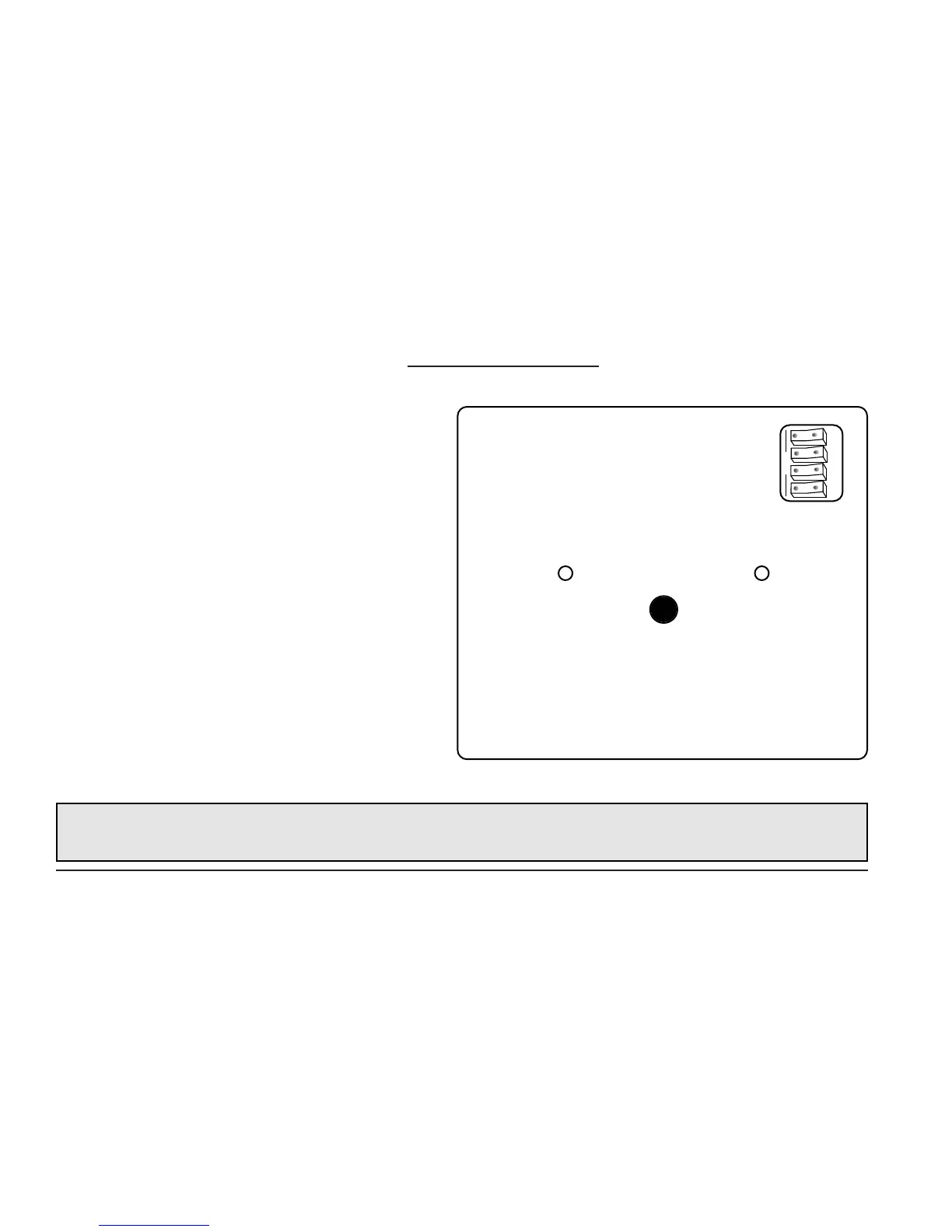
Dip Switch programming
(Model CDN-1224)
Prior to installing the timer, all dip switches must be set
to the requirements of your application.
The dip switches allow for setting the clock in either
AM/PM mode or 24 hour (military) mode. Also included
is the ability to select the desired heater run time of 30,
60, 90 or 120 minutes.
Dip switch settings are accessed through a cut out on
the rear panel of the timer.
NOTE:
Dip switch settings are to be selected PRIOR to connection of power source and programming of all other timer
functions.
Fig. 4: Rear Panel of Timer
Dip Switch
Location
1 2 3 4
OPEN




 To Next Page