u
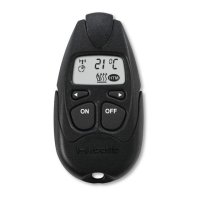
Briefly press the ON and OFF push buttons simultaneously 3x consecutively.
The LED flashes according to the set operating time (see table).
u
Press the OFF push button within 10 seconds after the operating time indic-
ator lights up. The operating indicator flashes according to the next operat-
ing time.
u
Press the OFF push button until the operating indicator flashes according to
the desired operating time.
NOTE
Save the setting: do not press any push button or the ON push button
for 10 seconds.
Flashing pulses
(number)
Operating time
(minutes)
Flashing pulses
(number)
Operating time
(minutes)
1 10 7 70
2 20 8 80
3 30 9 90
4 40 10 100
5 50 11 110
6 60 12 120
NOTE
Reset to default settings.
u Press the ON and OFF push buttons simultaneously for at least 15
seconds. Ignore colour changes that occur in the LED. Factory set-
ting: heating mode, operating time 30 minutes
10
Switching on the heater
ü Hold the hand-held transmitter vertically upwards.
u
Press the ON push button (> 1 sec.) until the op-
erating indicator lights up.
The operating indicator lights up (confirmation of re-
ception). The operating indicator then flashes until
the set operating time is complete. (See "Operating
time on page 5").
| 9030719B | 6



 To Next Page
 Loading...