EasyManua.ls Logo

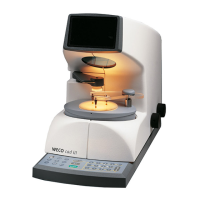
Weco cad III - User Manual

Weco cad III
41 pages
Print Icon
To Next Page IconTo Next Page
Loading...
Operation Manual
WECO
cad III
Version: 12.2000
Nr.: 1112-9902-01

Questions and Answers

  • D
    David CunninghamAug 4, 2025
    How to fix a vaguely visible graphic display on Weco cad III Industrial Equipment?
    • D
      Danielle PerkinsAug 4, 2025
      If the graphic on the display of your Weco Industrial Equipment is vaguely visible, it might be due to improper contrast settings. Try adjusting the contrast to resolve this issue.
  • J
    Jose HaleAug 9, 2025
    What to do if the lens is not blocked automatically on Weco Industrial Equipment?
    • M
      Madison RobinsonAug 9, 2025
      If the lens is not blocked automatically by the Weco Industrial Equipment, it might be because the table isn't located in the parallax-free zone. Press the key once more to resolve this.
  • G
    George JohnsonAug 15, 2025
    Why can't I call up any forms on my Weco Industrial Equipment?
    • D
      Dr. Kevin KingAug 15, 2025
      If no form can be called up on your Weco Industrial Equipment, the edger with memory might not be switched on, or the PC with the software might not be operational. Ensure the edger is switched on and start the software.
  • D
    Donald MartinezAug 21, 2025
    What to do if Weco cad III Industrial Equipment doesn't operate after switch-on?
    • A
      Alejandro KeyAug 21, 2025
      If your Weco Industrial Equipment isn't operating after being switched on, the main plug might not be connected, the electrical plug might not be plugged in, or the main fuse or machine fuse could be defective. Check the fuse and replace it if necessary. Also, ensure the electrical plug is properly plugged in. See section 7.3 for replacement instructions.
  • B
    brandon54Aug 27, 2025
    Why are decentration values out of tolerance on Weco Industrial Equipment?
    • R
      Robert EstesAug 27, 2025
      If the decentration values of the finished frame are not within the tolerances for Weco Industrial Equipment, the wrong decentration menu might have been used. Install the correct decentration menu.

Summary

1 Safety Guidelines

4 Set-up

4.1 Installation

Instructions for unpacking and physically positioning the machine.

5 Operation

5.1 Getting started

Basic steps to begin processing a new job with the device.

5.3 Centration modes

Explains the different modes for centering lenses (single, multi, progressive).

5.4 Decentration process

Describes the selection and application of various decentration menus.

6 Operation procedure

6.1 Operation procedure in CMS

Overview of the workflow when using the WECO CMS system.

6.2 Operation for single vision- and progressive lenses

Step-by-step guide for operating the device with specific lens types.

6.3 Operation for Bifocal- or Trifocal lenses

Instructions for processing bifocal and trifocal lenses.

6.4 Operation for Progressive lenses with foils

Procedures for centering progressive lenses using foil adapters.

7 Maintenance

Weco cad III Specifications

General IconGeneral
BrandWeco
Modelcad III
CategoryIndustrial Equipment
LanguageEnglish

Related product manuals