Need help?
Do you have a question about the Weenect Silver and is the answer not in the manual?
Activate your tracker by visiting weenect.com and following instructions to create your account.
Download the free Weenect mobile app from the App Store or Google Play for your smartphone.
Turn on your tracker outside after activation; it will then be ready to use.
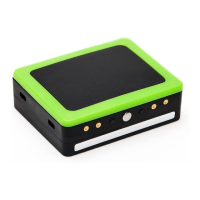
Turn on the tracker outside by pressing button 1 for 3 seconds until LEDs flash, allowing GPS to fix location.
Connect to your personal area on the weenect.com website using your login and password.
Download the Weenect app for your smartphone and connect using your login and password.
Instructions for switching the tracker on and off using button 1, noting LED indicators.
Description of how loved ones can use the tracker's buttons to send messages via the app.
Your loved one can use the tracker's centre button to send an SOS, initiating a call.
Details on the red, green, and blue LEDs and their meanings for charging, action, and GPS.
The blue LED flashes to indicate when a GPS fix is available.
The yellow LED indicates server connection and position updates.
Ensure phone settings accept push notifications from the Weenect app for alerts.
Understand how GPS signal interference can affect zone notification timing.
Learn how AR/compass functions calculate direction and distance based on GPS positions.
Understand that technological limitations mean the GPS system is not 100% accurate.


 To Next Page
 General