6 I WTE220 USER MANUAL
To avoid an inaccurate measurement
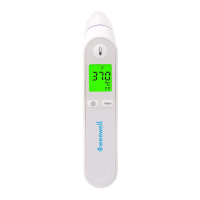
• SwitchonthethermometerbypressingtheON/OFFbutton.
• Afteronebeepisheard(andthetemperaturescaleiconisashing),straighten
theearcanalbygentlypullingthemiddleoftheearbackandup.
• Placetheprobermlyintotheearcanal,presstheStartbuttonandkeepthe
probeintheearuntilthethermometerbeepstoidentifythecompletionofthe
measurement.
The Dgtal Infrared Ear Thermometer has been clncally tested and proven to
be safe and accurate when used n accordance wth ts operatng nstructon
manual.
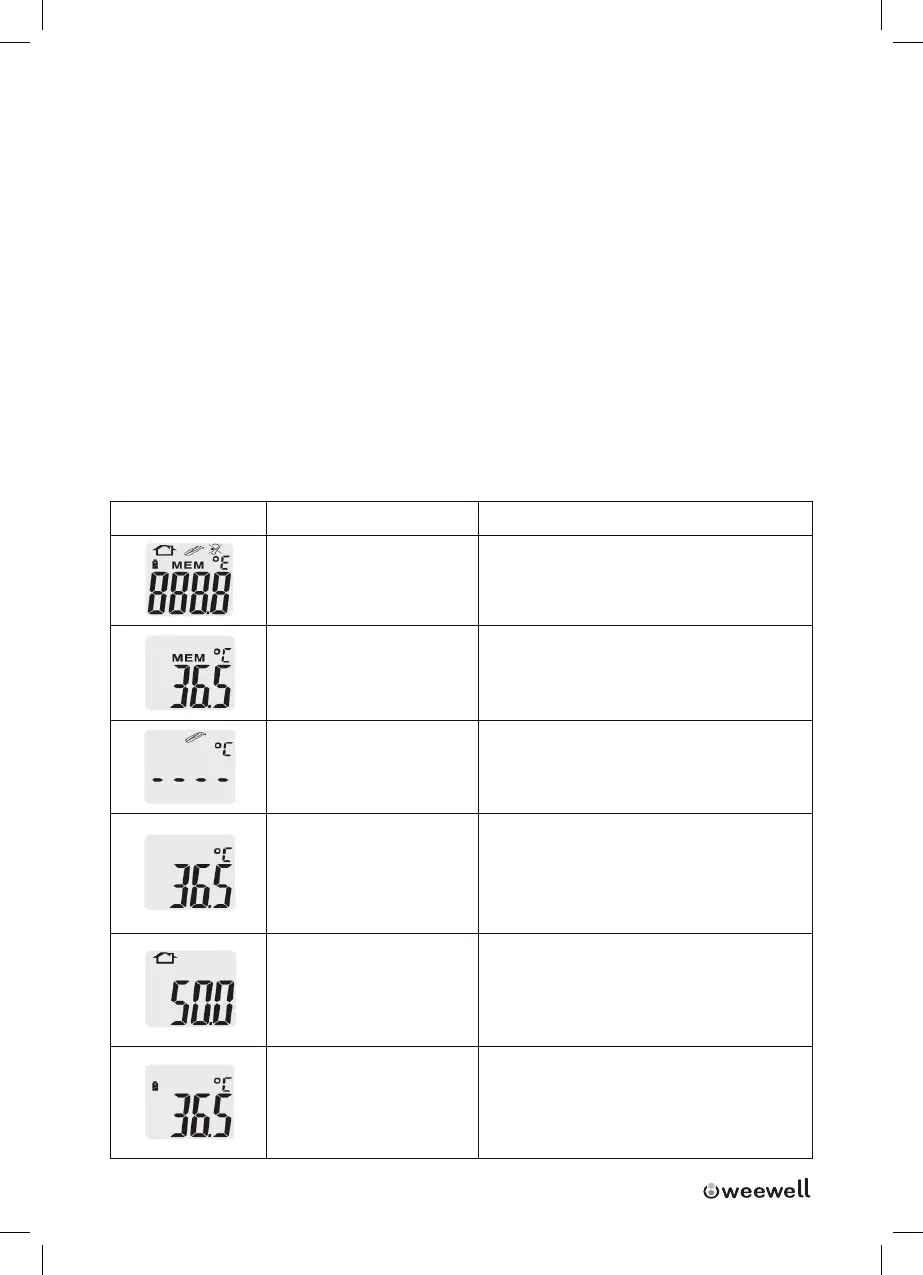
Control Displays and Symbols
LCD Dsplay Lcd Meanng Descrpton
All segments
dsplayed
Press the ON/OFF button to turn
on the unt, all segments wll be
shown for 2 seconds
Memory
The last readng wll be shown
on the dsplay automatcally for 2
seconds
Ready
The unt s ready for measurement,
the °C or °F con wll keep ashng
Measurement comp-
lete
The readng wll be shown on the
LCD dsplay wth the °C or °F con
ashng, the unt s ready agan for
the next measurement
Out-of ear tempera-
ture ndcaton
A crossed-ear-con shown on the
LCD f the readng falls outsde
the range 32.0 to 42.2°C (89.6 to
108.0°F)
Low battery ndca-
ton
I When the unt s turned on,the
battery con wll keep ashng to
remnd the user to replace the
battery



 To Next Page