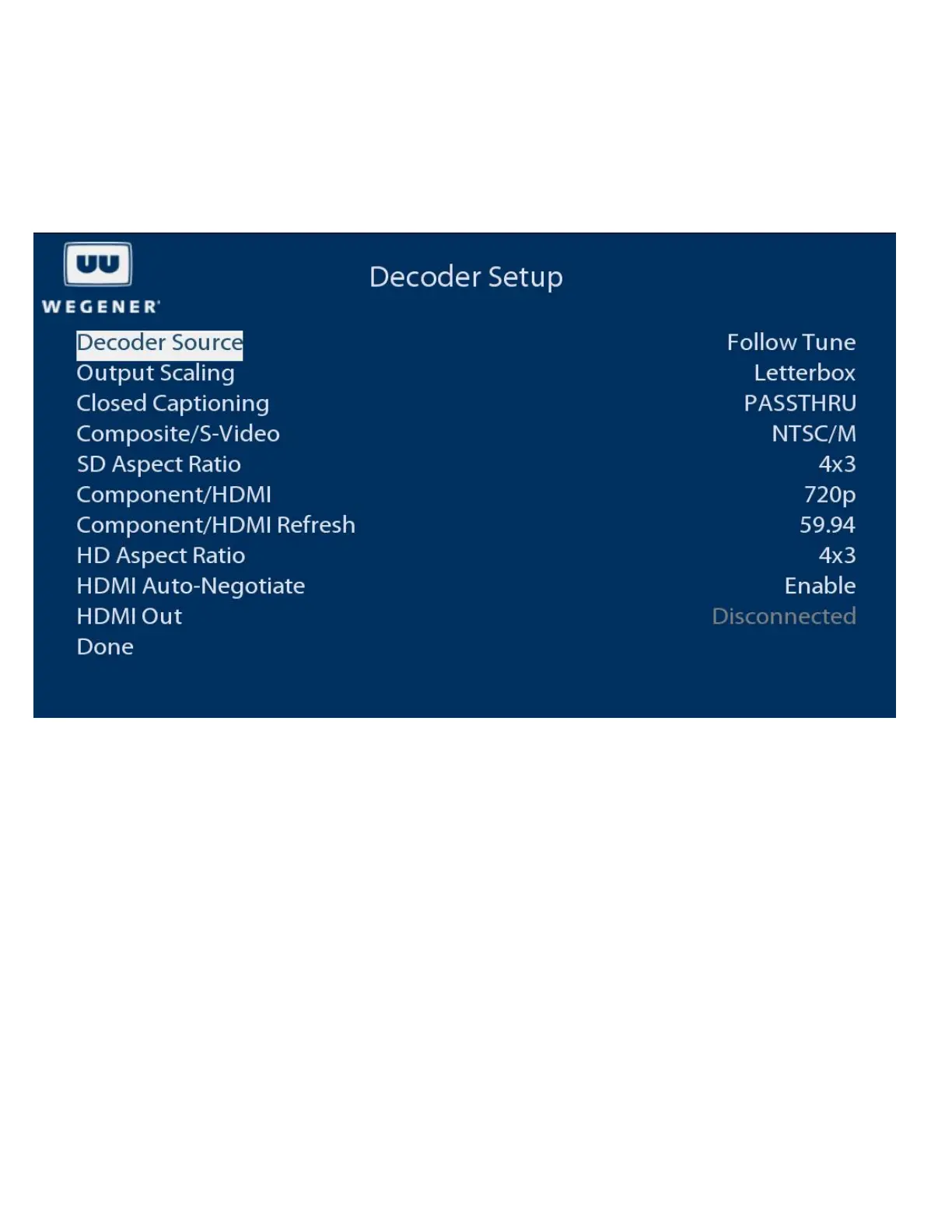
Decoder Setup
The Decoder Setup menu is accessed by selecting Advanced in the Main Menu, followed by Unit Setup. It allows the user to
adjust the video output of the unit.
OSD Decoder Setup Menu
Decoder Source
Selects the source of input for the A/V decoder. The Follow Tune indicates that current source is the selected RF carrier and
program number.
Output Scaling
Selects Letterbox or Pan and Scan mode.
Closed Captioning
Selects closed captioning mode. PASSTHRU Mode allows the TV to decode and display closed captioning. Alternatively, the
unit can decode and render closed captioning if the mode is set to CC1-4. CC1-4 may be selected only if subtitling is
disabled.
Composite/S-Video
Selects video output format for the composite video outputs and S-video output (if available).
SD Aspect Ratio
Selects the aspect ratio for the composite video outputs and S-video output (if available).
www.wegener.com 800092-02 Rev. C 9



 To Next Page