30
56
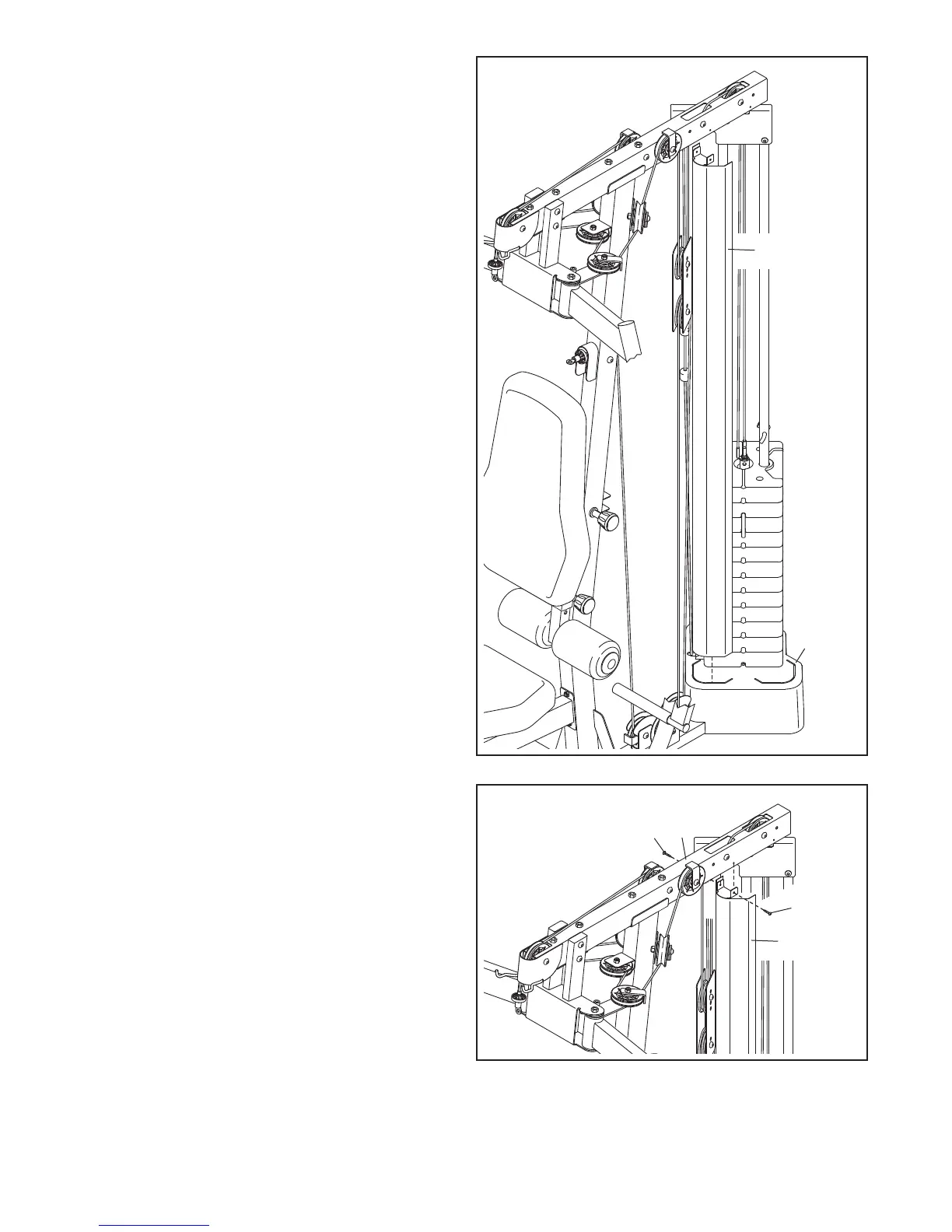
56. Note: For clarity, the Top Cover (27) is not
shown in steps 56 to 58.
I
dentify the Center Shroud (33) and the Right
and Left Side Shrouds (not shown). Orient the
C
enter Shroud as shown.
Insert the Center Shroud (33) into the Bottom
Cover (28).
57
57. Attach the top of the Center Shroud (33) to the
Top Frame (6) with two ST4.2 x 19mm Screws
(90).
28
90
6
90
33
33




 To Next Page