GET TO KNOW YOUR CALCULATOR
2 3
Congratulations! You now own an exciting new tool
created to help you follow the Weight Watchers®
program. Spend some time getting to know your
SmartPoints
TM
Calculator to ensure you get the
maximum benefits from its use.
The calculator does more than simply calculate
the SmartPoints values of your favorite foods. It also:
• Keeps track of your personal information, like
your age, height and weight.
• Calculates your Daily SmartPoints Target and
Weekly SmartPoints Allowance.
• Allows you to edit your Daily Target and Weekly
Allowance.
• Tracks all the SmartPoints values you use each
day and week.
• Works just like any standard calculator.
GET READY TO ACTIVATE YOUR CALCULATOR!
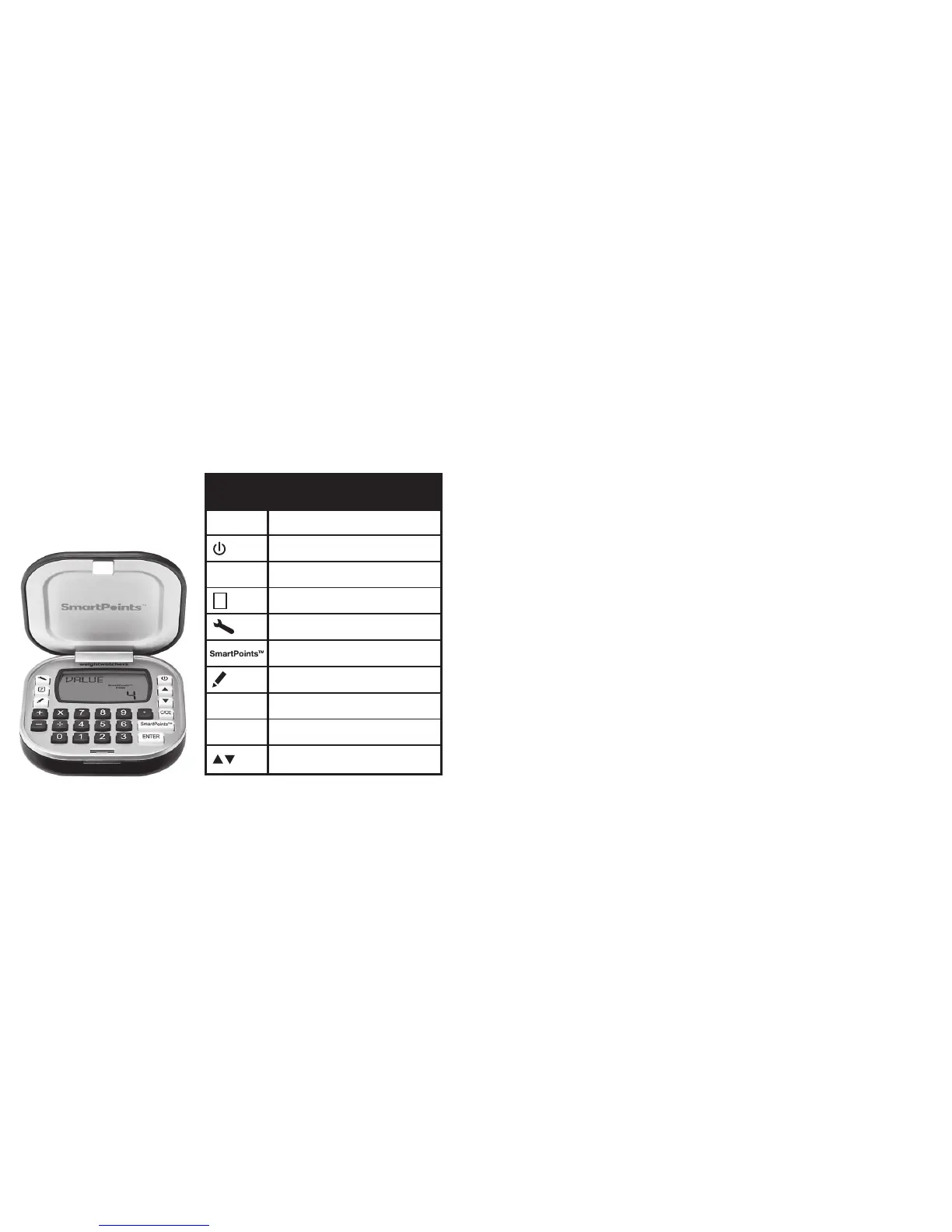
Your calculator keys and what they do
KEYS: FUNCTION:
Numeric keys
Switch on/off
Clear last entry or cancel
New Day and New Week
Setup Daily Target/Weekly Allowance
and edit personal data
Calculate SmartPoints
TM
value and use
SmartPoints value from calculation or
direct entry
Review Daily Target/Weekly Allowance
over seven days
ENTER/Confirm key
Standard calculator functions
Scrolls Up and Down


 To Next Page