2 of 10
Document Number: 9295087 03/12/2021
Subject: BIC Tune Up 2021 (USA)
PREPARATION
1. Verify software on USB included with this kit contains
the following files:
• 0_19_0_MXB0.MXB • MUSM768R.CBR
• 0_28_0_SRB0.SRB • UTF8.cbr
• MidRange.bin • UTF8.dat
NOTE: If files on USB not correct or you are not sure contact
Multiplex at 1-844-724-2273.
INSTRUCTION
2. Verify operation with manager. Note any issues on
checklist.
3. Record current firmware and recipe versions on
checklist.
From easyToUCH screen select the MANAGER MENU:
Select “A” for the password
Select the GREEN check
Arrow DOWN two (2) times
Record versions on checklist.
4. Move all product/bins from lower refrigerated cabinet
to store’s walk-in cooler.
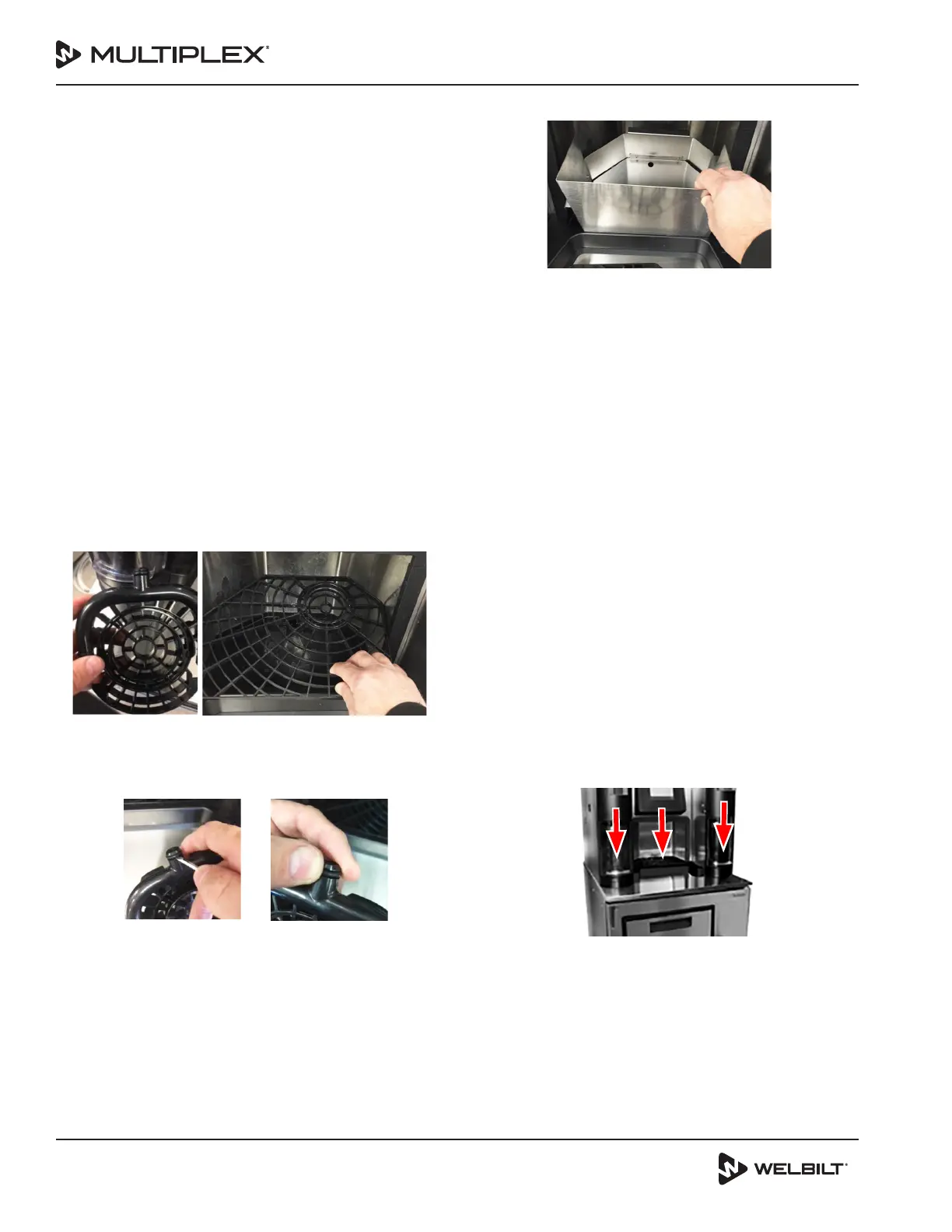
5. Remove all blender and dispense grates.
6. Wash, rinse, and sanitize them.
7. Take a flat head screwdriver or pair of needle nose
pliers, remove the O-rings from each dispense grate
and discard.
8. Replace with new O-rings over the tip on both grates.
9. Remove product from the cabinet and place in the walk
in cooler.
10. Prepare a five (5) gallon bucket with luke-warm tap
water (no hotter than 105°F/40.5°C) and cleaning
solution. Clean all eight (8) product fittings and
connect the cleaning manifold.
11. Position the dispense shield in the dispense area.
12. Press BACK arrow on the touch screen to reach
easyToUCH Menu. From the easyToUCH screen follow
the next steps to clean and rid each of the product lines
of syrup.
Access the MANAGER MENU
Enter “A”
Press GREEN check
Arrow DOWN
Select the Service Menu
Enter “A”
Press the GREEN check
Select Outputs and activate each valve until only
hot clear water dispenses from the dispensing valve.
Power OFF using the ON/OFF switch located on the
upper left side of the unit. If required, relocate the
unit to the back of the store.
NOTE: If unit is relocated, a bucket and/or a drain will be
required at the work site.
13. Remove dispense shield.
14. Replace blender and dispense grates.
15. Prepare beverage drain cleaner according to the
supplier’s specifications and pour down both the left
and right blend chamber drain opening as well as the
center dispense area drain opening. Allow the drain
cleaner to stay in the drains. The drains will be rinsed
with hot tap water later in the Tune Up process.
NOTE: Beverage drain cleaner will be poured down the ice
bowl drain line later in the Tune Up process.



 To Next Page
 Loading...