6 of 10
Document Number: 9295087 03/12/2021
Subject: BIC Tune Up 2021 (USA)
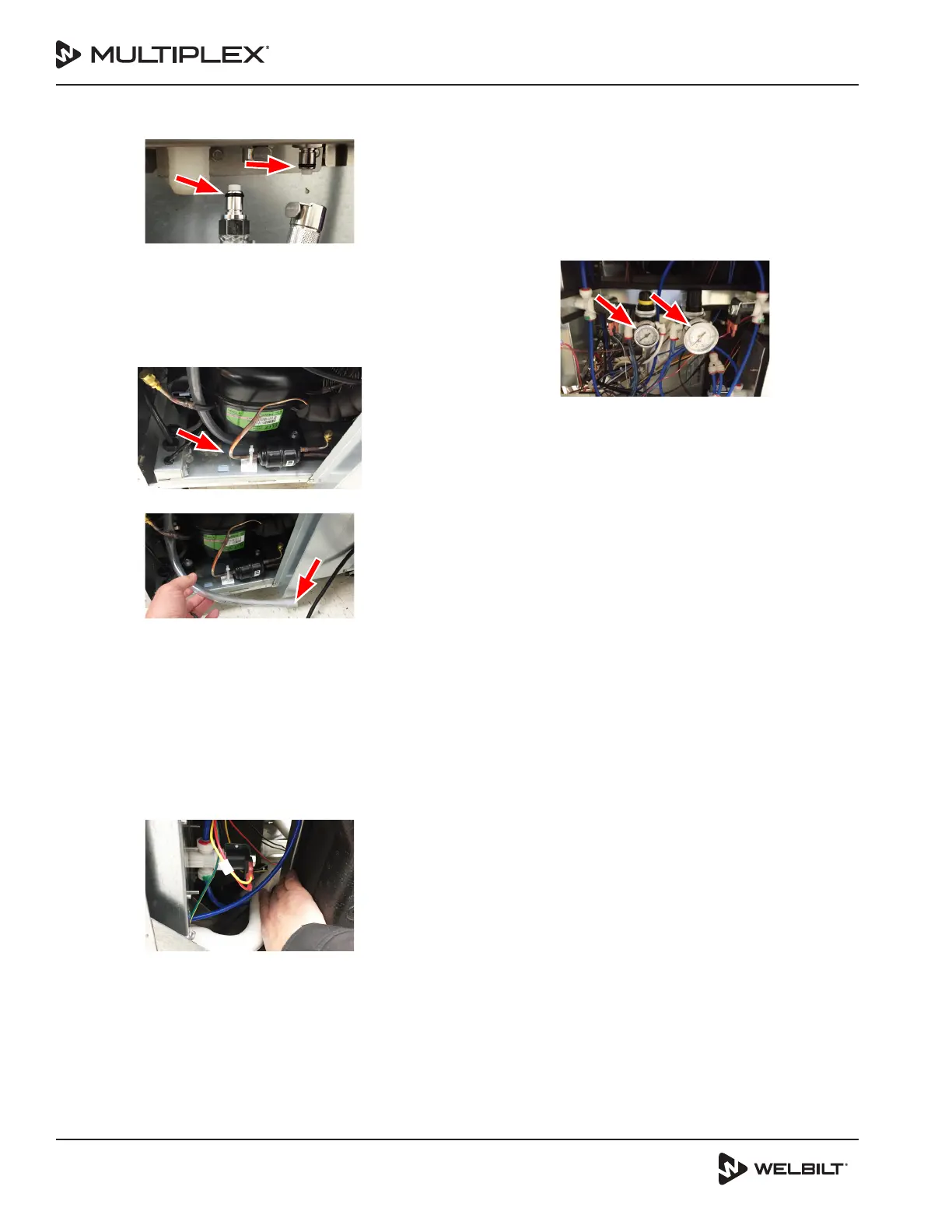
41. Remove and replace the O-rings on both the water and
CO2 supply lines.
42. Add food grade lube to the O-rings before
reconnecting the water and CO2 supply lines.
43. Use a soft bristle brush to remove the dust, dirt and
debris from the condenser coil.
44. Clean the condensate drain pan with Wet/Dry Shop
Vacuum.
45. Locate the condensate drain line.
A. Clean the condensate drain line with Wet/Dry Shop
Vacuum by applying suction to the outlet of the
drain line.
46. Remove both the top left and top right side panels.
47. Slowly pour hot tap water down the left side and right
side blend chamber drains, rinse area drain, and the ice
bin drain.
48. Check unit to make sure it is level from front to back
and side to side.
49. Locate the drain tube within upper frame of the unit.
A. Beginning at the discharge of each drain outlet
squeeze the tubing from front to back dislodging
any buildup within the tubing.
B. Snake each drain with a 3 ft piece of ¼” I.D. x
3/8 “ O.D. clear tubing. Verify water is draining
sufficiently out of the blend chambers.
50. Repeat previous step until each drain line runs clear.
51. Reconnect incoming supply lines and pressure, observe
for any leaks.
52. Power the unit ON using the ON/OFF switch located on
the upper left side of the unit next to the USB port.
53. Connect water line, CO2 line, drain and plug in unit to
outlet.
54. Verify the water and CO2 pressure regulators are set to
35 psi dynamic and adjust if necessary.
A. The regulators are located on the upper left side of
the unit.
NOTE: To achieve a dynamic pressure setting for the water
a water solenoid must be activated. To achieve a dynamic
pressure setting for the CO2 one of the product solenoids
must be activated.
B. Follow the next steps from the easyToUCH screen
to activate a water solenoid and/or a product
solenoid:
Select the MANAGER MENU Icon
Select “A” for the password
Select the GREEN check
Arrow DOWN and Select Service
Select “A” for the password
Select the GREEN check
Select OUTPUTS
Activate any of the eight (8) flavor solenoids by
touching the GREEN OFF opposite the selected
solenoid and adjust the CO2 regulator to 35 psi
dynamic
Turn OFF selected flavor solenoid by touching thr
RED ON opposite the selected solenoid.
Arrow DOWN then select either the WATER, LEFT
RINSE, or RIGHT RINSE and adjust the water
regulator to 35 psi dynamic
Turn OFF selected water dispense option
Arrow back three (3) times to return to the main
easyToUCH screen.
NOTE: To increase the pressure lift the knob at the top of
the regulator and turn clockwise. To decrease the pressure
lift the knob at the top and turn counter clockwise.



 To Next Page
 Loading...