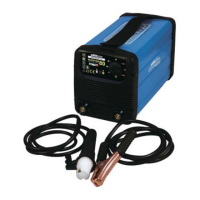
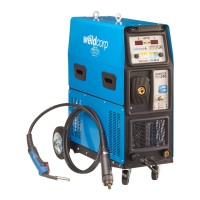
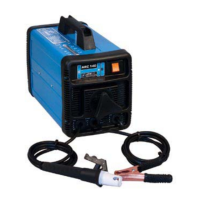
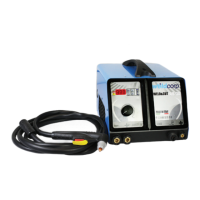
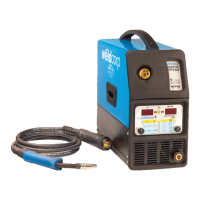
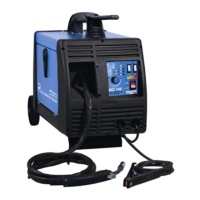
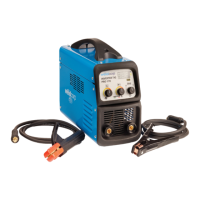
The Weldcorp Inverter 80, Inverter 125, and Inverter 140 are portable arc welders designed for a variety of welding tasks, offering compact size, robust construction, and adherence to current safety regulations. Manufactured in Italy, these welders are built for reliable operation and a long working life.
Function Description:
These devices are inverter welders, which means they transform high voltage, low amperage power into the low voltage, high amperage power required for welding. This transformation is achieved using a transformer, but unlike traditional welders, inverter welders increase the frequency of the primary power supply. This higher frequency allows for a smaller transformer, resulting in a lighter and more compact machine compared to conventional ARC and MIG welders. The core principle involves high-power solid-state switches that rapidly turn on and off, creating AC power and boosting the frequency. This advanced electronic control allows the welding machine to automatically manage various parameters to ensure a good welding result.
Usage Features:
The Weldcorp inverters incorporate several features designed to enhance the welding process and user experience:
- Hot Start: At the beginning of a welding operation, when both the electrode and the workpiece are cold, it can be difficult to establish a stable arc. The Hot Start feature addresses this by temporarily supplying a higher starting current than the planned value for a short duration. This aids in arc ignition and contributes to a more stable welding process from the outset.
- Arc Force: During manual welding, the operator guides the electrode, and the distance from the welding point can vary. To prevent a short circuit if the electrode gets too close to the molten pool, the Arc Force feature automatically increases the arc current. This helps maintain a consistent arc and prevents the electrode from sticking.
- Anti-Stick: If a permanent short circuit occurs during the welding process, the Anti-Stick feature immediately decreases the current value. This reduction in current allows the electrode to be easily removed from the molten metal, enabling the welding process to resume without damage to the electrode or the workpiece.
- Ease of Setup: Setting up the inverter welders is straightforward. Users need to insert the earth lead (earth clamp) and the electrode lead (electrode holder). The appropriate amperage is selected based on the electrode type and material thickness, with a guide provided in the manual. The correct diameter electrode is chosen according to the thickness of the workpiece. The electrode is inserted into the V-groove of the electrode holder by pressing the side lever, then releasing it to secure the electrode.
- Workpiece Preparation: To ensure good electrical contact for the earth clamp, the workpiece should be cleaned with a wire brush. The earth clamp is then attached to this clean area. Once set up, the machine is switched on to begin welding.
- Establishing the Arc: The arc is established by striking the metal to be welded with the electrode. For beginners, "Touch Welding" is recommended, where the electrode is lightly rested on the workpiece and then drawn away slightly at a 40-degree angle towards the direction of travel. This technique creates a short arc, which helps flatten and widen the welding bead.
- Making the Weld: The weld is formed by feeding the electrode into the molten pool while simultaneously moving it along the joint. The electrode should be held at a 30 to 40-degree angle, and the speed of movement should be adjusted to deposit the desired weld size.
- Stopping the Weld: To stop welding, simply withdraw the electrode from the workpiece. It is advisable to lift the electrode away from the weld seam to avoid creating a porous crater.
- Post-Weld Care: After welding, the metal and electrode tip will be hot, so caution is advised. Once cooled, the surface slag can be removed by lightly tapping with a chipping hammer. Welding can be resumed from the same spot after ensuring the slag has been removed.
- Welding Speed and Current: The quality of the weld is significantly influenced by the welding speed and current. The manual provides visual guidance on how different speeds (too slow, too fast) and currents (too high, too low) affect the weld bead, allowing users to adjust their technique for optimal results.
- Portability: The compact and lightweight design of these inverter welders makes them highly portable, suitable for various indoor and outdoor applications.
- Generator Safe: These welders are designed to be safely operated with a generator, providing flexibility in power sources.
Maintenance Features:
While the manual primarily focuses on operation, it includes critical information related to the longevity and safe use of the device:
- Thermal Protection: The welders are equipped with a thermal overload cut-out. If the transformer overheats, a yellow LED will illuminate, and the welding operation will cease automatically. The machine will become operational again once the temperature has cooled down to an acceptable working level, at which point the yellow LED will switch off. When the equipment is initially switched on, the signal light remains on for approximately 3 seconds as the electronic functions are checked, during which operation is not possible.
- Troubleshooting Guide: A comprehensive troubleshooting guide is provided to help users diagnose and resolve common issues. This includes problems related to excessive electrode consumption, contaminated electrodes, incorrect electrode dimensions, cable layout, grounding problems, overheating, and difficulties in arc starting or transfer. For instance, if the unit overheats, users are advised to allow 3-5 minutes for "cool down." If the condition persists, the welder should be taken to a repair agent.
- Spare Parts Availability: The manual includes detailed diagrams and product codes for spare parts for each model (Inverter 80, Inverter 125/140). This allows for easy identification and ordering of replacement components, supporting the long-term maintainability of the welders.
- Expert Repair Recommendation: The manual explicitly states that power equipment repairs must only be carried out by experts. Non-expert repairs can pose significant danger to the user and will void the warranty, emphasizing the importance of professional service for complex issues.
- Warranty Information: A 12-month warranty covers defects in material or workmanship. To obtain warranty service, owners must present the sales docket and Warranty Certificate, highlighting the importance of retaining these documents. The warranty conditions specify that the product must be used in accordance with the manufacturer's recommendations under normal use and reasonable care. Damage resulting from misuse, neglect, abuse, or unauthorized repairs will void the warranty.
Overall, the Weldcorp Inverter series offers a user-friendly and robust welding solution, incorporating advanced electronic features for improved performance and safety, alongside clear guidance for operation and maintenance.

 Need help?
 General

 To Next Page