EasyManua.ls Logo

Well EAGLE - User Manual

Well EAGLE
9 pages
Print Icon
To Next Page IconTo Next Page
Loading...
Installation and Operating Manual
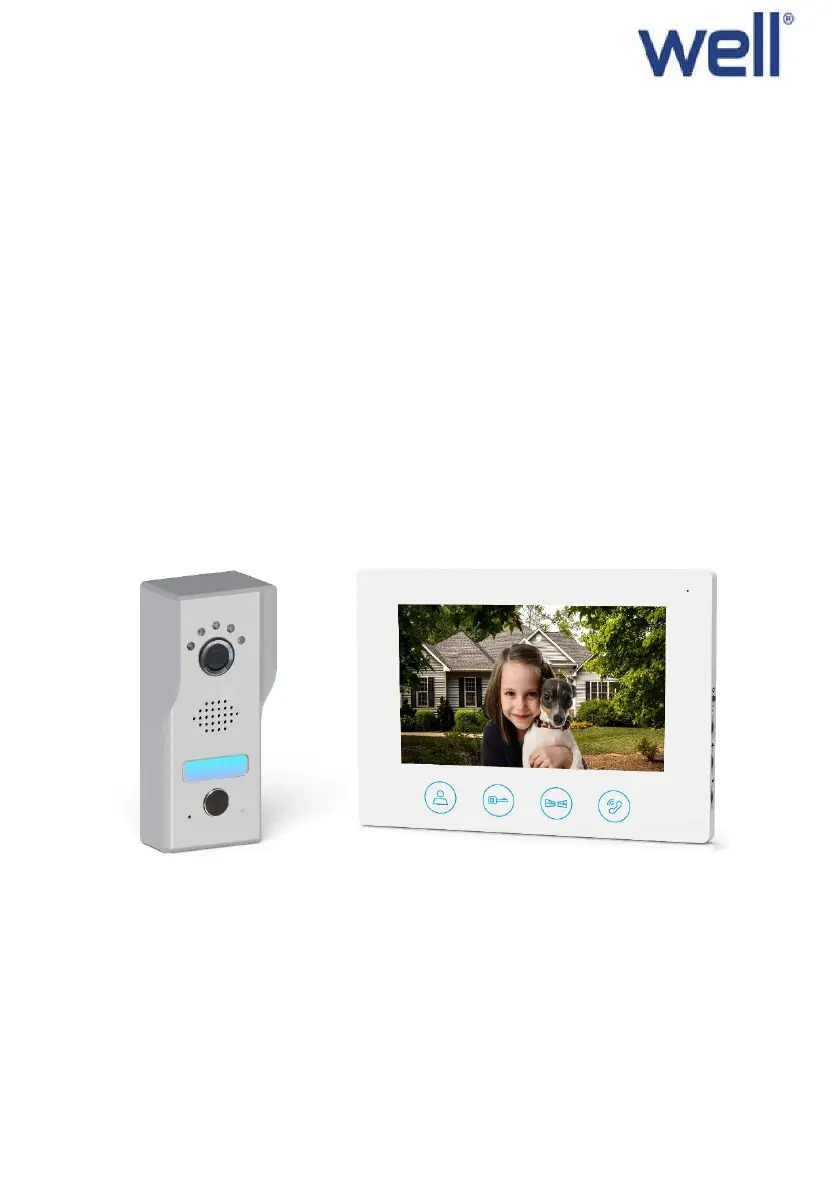
Video Intercom Kit with 7 "display and 2-wire connection
Model: EAGLE
Preorder NO: VDPK-EAGLE-WL, VDPM-EAGLE-WL

Questions and Answers

  • R
    Richard RobertsonJul 27, 2025
    Why is there no video or audio on my Well Intercom System?
    • A
      Andrea KeyJul 27, 2025
      If you're experiencing a lack of video and audio, ensure that all connections are secure and properly connected. Also, check to make sure that nothing is obstructing the view of the camera.
  • M
    Michael MendozaAug 1, 2025
    What to do if the door unlock is not working on my Well EAGLE Intercom System?
    • A
      andreaperryAug 1, 2025
      If the door unlock feature isn't working, verify that the connections with the locks are secure and properly connected. Also, ensure the lock is wired to a sufficient power source for operation.
  • C
    Carolyn BauerAug 6, 2025
    How to fix no audio when calling on Well Intercom System?
    • L
      Lori WyattAug 6, 2025
      If you're experiencing a lack of audio when calling, make sure the volume knob on the indoor unit is turned up. Also, ensure that there are no objects with strong magnetism interfering with the speaker or microphone. Finally, check that all the connections are secured and properly connected.
  • M
    Mr. Richard Lewis MDAug 11, 2025
    What to do if I can visualize the sound of the outside but cannot communicate using my Well EAGLE Intercom System?
    • J
      Joann HernandezAug 11, 2025
      If you can hear the outside sounds but can't communicate, press the TALK key for two-way intercom, as only pressing the MONITOR key will prevent the outdoor unit from hearing the indoor unit. Also, make sure all the connections are secured and properly connected.
  • N
    nhowellAug 16, 2025
    What to do if there is no video but intercommunication is normal on Well EAGLE Intercom System?
    • R
      Rhonda MurphyAug 16, 2025
      If you have normal intercommunication but no video, ensure that all the connections are secured and properly connected. Also, make sure there is nothing obstructing the view of the camera.
  • Y
    Yolanda HicksAug 21, 2025
    What to do if I cannot hear the external sound but the call tone is heard on my Well Intercom System?
    • A
      Amanda AllenAug 21, 2025
      If you can hear the call tone but not the external sound, press the TALK key for two-way intercom. Also, make sure all the connections are secured and properly connected.

Summary

Product description

System installation

Indoor unit installation guide

Instructions for mounting the indoor unit bracket and connecting the power adapter.

Outdoor unit installation guide

Steps for mounting outdoor unit, rain cover, name plate, and wiring.

Wiring diagram

Operation instruction

Indoor unit operation and controls

Details on indoor unit LED indicators, melody selection, brightness, and volume.

Technical specifications

Indoor unit specifications

Technical data for indoor unit: screen size, resolution, dot pitch, and dimensions.

Outdoor unit specifications

Technical data for outdoor unit: night vision, illumination, resolution, and viewing angle.

Safety instruction

General safety precautions

Guidelines for safe operation, avoiding environmental hazards and signal interference.

Installation cautions

Notes on adapter securing, power plug access, and power connection sequence.

Troubleshooting

Well EAGLE Specifications

General IconGeneral
BrandWell
ModelEAGLE
CategoryIntercom System
LanguageEnglish