Owner’s Manual
WPW-4000
Maintenance
FILTER CLEANING
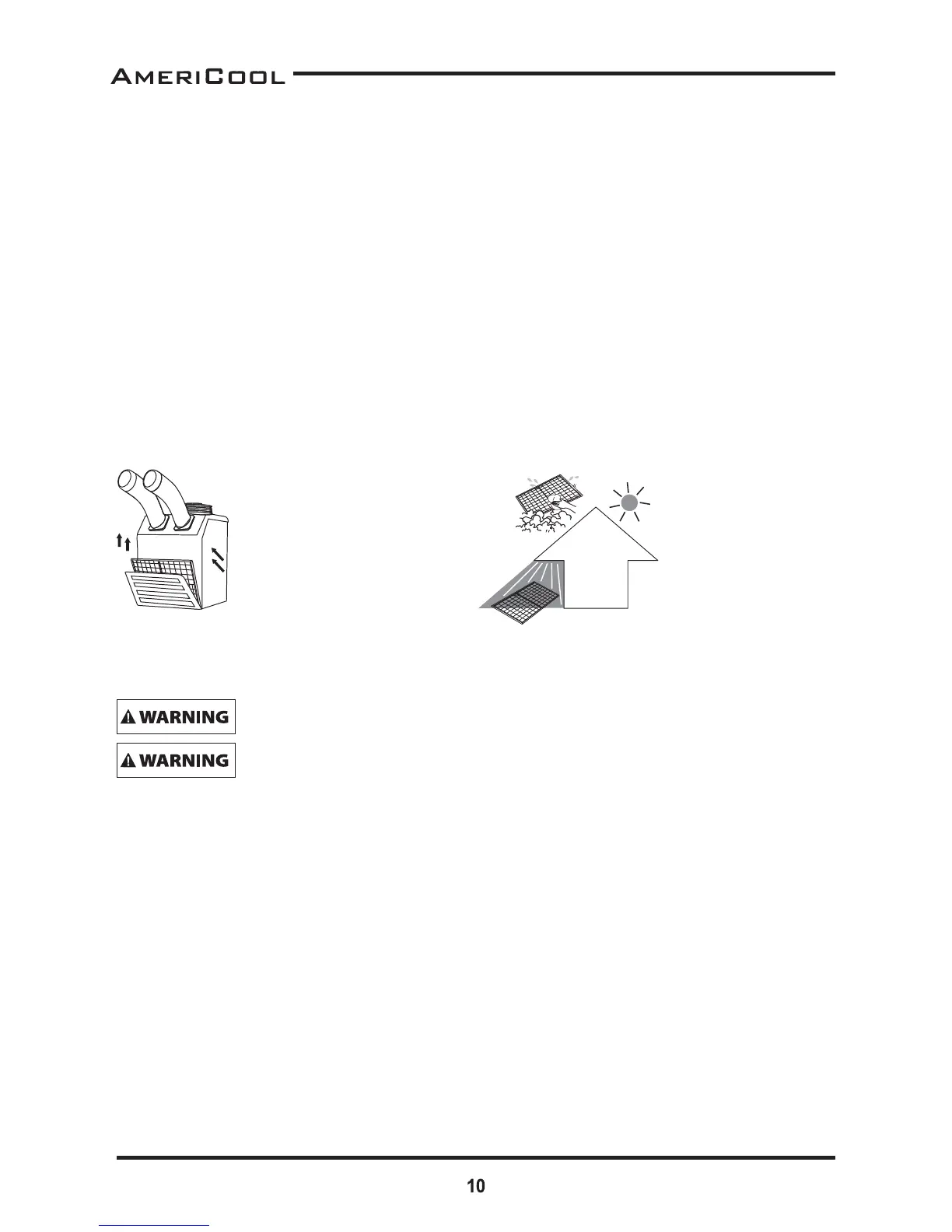
There is 1 fi lter in the unit. The evaporator fi lter is located at the front of the unit.
1. Open the front guard.
2. Slide fi lter up and use a vacuum cleaner to remove the dust from the fi lter.
3. If the fi lter is heavily covered with dust and dirt, warm water and mild soap or neutral deter-
gent may be used to wash the fi lter. Do not use any other chemicals to clean fi lter, as they will
likely damage the fi lter.
4. Dry the fi lter in a shaded area before replacing it. Do not operate the unit without the fi lter
installed and the fi lter guard in the closed posi on.
5. Replace the clean fi lter and close the fi lter guard.
NOTE : For eff ec ve cooling clean the fi lter at least every 2 weeks.
– For your convenience, record the complete model number and product name (located on the
Product Iden fi ca on Plate), the purchase date, purchase loca on, serial number, and war-
ranty period in the table below.
– Also, a ach your purchase receipt as proof of purchase to this instruc on manual for future
reference.
– To ensure your product is covered by warranty, the complete faulty product along with your
original purchase receipt must be provided at the place of purchase.
– To ensure your product is covered by warranty, the complete faulty product along with your
original purchase receipt must be provided at the place of purchase.
Do not operate without the fi lter fi Ʃ ed.
Do not operate the unit with a damaged cord or plug, aŌ er the unit malfunc-
Ɵ ons, or if the unit has been dropped or damaged.
– Remove dust from the filter
using a vacuum cleaner
hose aachment.
– If required wash the filter in
lukewarm water with a mild
detergent. Leave to dry in
a shaded area before
reinstalling.
– Pull the filter frame forward to
remove the front filter.
– Slide filter up and use a vacuum
cleaner to remove the dust from
the filter.
– Li up on the rear filter from the
middle bar slightly and then
angle the filter outwards from the
boom and remove.
Figure 9 – Removing Filters
Figure 10 – Removal of Dust




 To Next Page