33
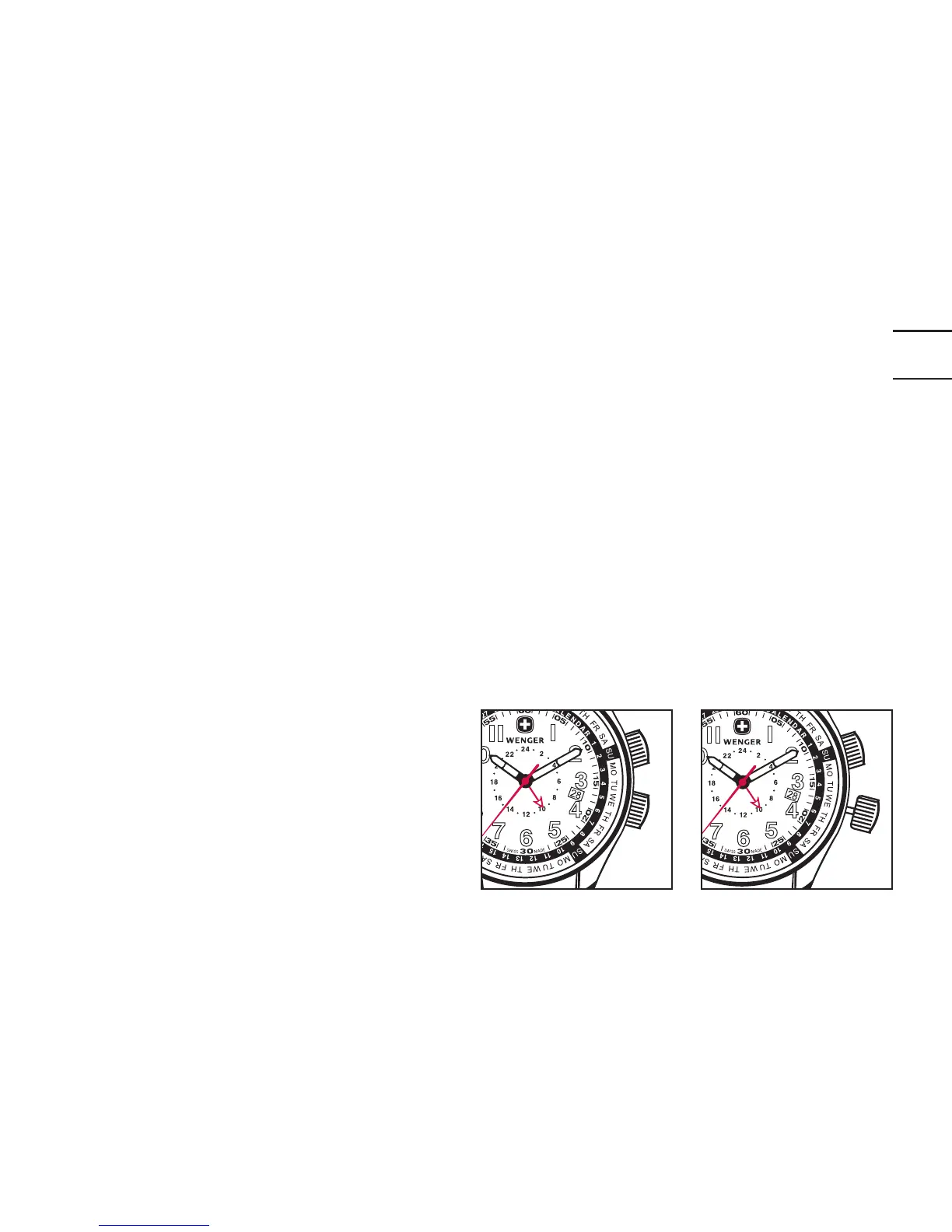
Position 1
Position
2
SETTING THE TIME AND DATE
Follow instructions on p.6ff.
SETTING THE SECOND TIME ZONE
1. Pull out the 4:00 crown to Position 2 (one «click» out). Rotate crown coun-
terclockwise to set the second time zone hand to the local time on the 24-
hour second time zone inner dial.
2. Return the crown to the fully depressed position.
Note: The inner dial has a 24-hour/
military time display.
Therefore, when setting the local time,
using the inner 24h dial zone, make sure
that, as an example, 8 a.m. is set as
08.00 and 8 p.m. is set as 20.00.


 To Next Page