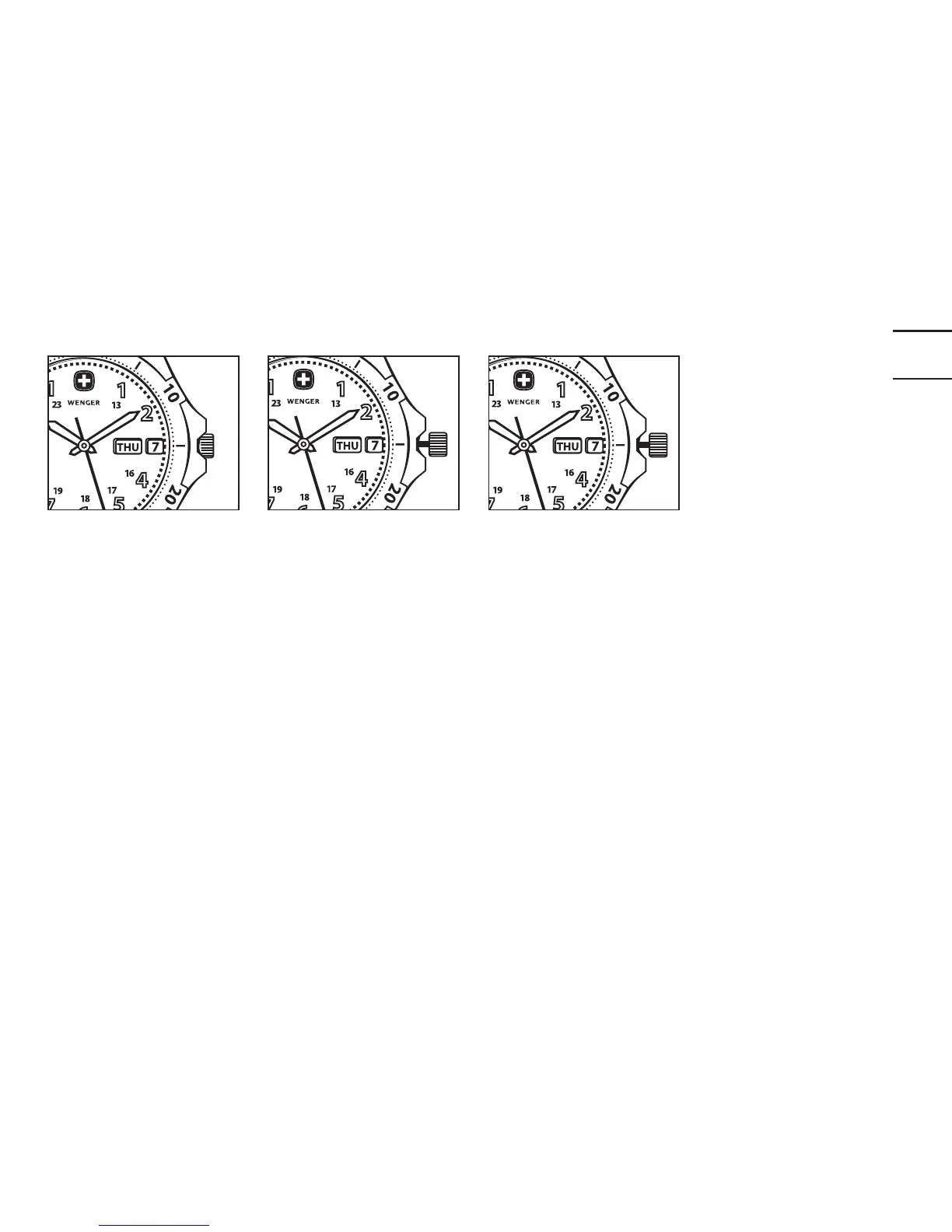
9
Position 1
Position 2
Position 3
SETTING THE TIME AND DATE
(For Chronos and Pilot Series only)
1. Pull out the crown to Position 2 (one «click» out). Rotate crown counter-
clockwise until the date shows one day earlier than the date you want to set.
2. Pull out the crown to Position 3 (two «clicks» out). Rotate crown so the
watch hands move clockwise until the current date shows. Then set the
watch hands to the correct time. Turn the watch hands past 12 once if
you’re setting the watch for a P.M. time.
3. Return the crown to the fully depressed Position 1, assuring the crown has
been further screwed down on all 200m watches.


 To Next Page