37
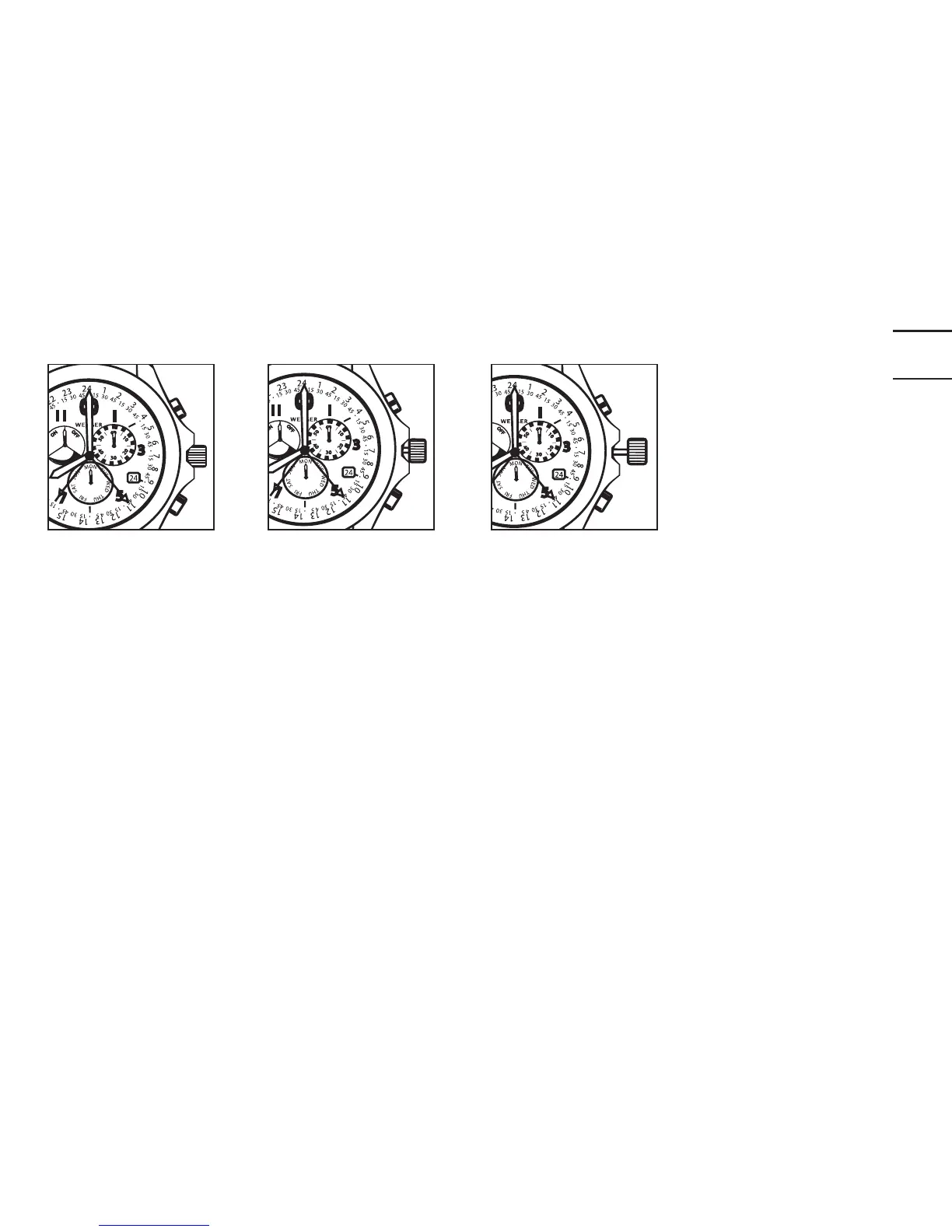
Position 1
Position 2
Position 3
SETTING THE DAY OF THE WEEK, TIME AND DATE
1. Pull out the crown all the way out to Position 3. Rotate crown counterclock-
wise, advancing the watch hands until the current day shows (in the subdial
over the 6 o’clock position). Continue to rotate the crown counterclockwise
until the correct time is displayed. Turn the watch hands past 12 once if
you’re setting the watch for a P.M. time. Push the crown back to the fully
depressed Position 1.
2. Pull out the crown to Position 3, then push in the crown one «click» to Posi-
tion 2. Rotate crown clockwise and the date will change in the date window.
Return the crown to the fully depressed Position 1.


 To Next Page