49
49
FUNCTION
7.1.2 Mode: Mixing / own formulations
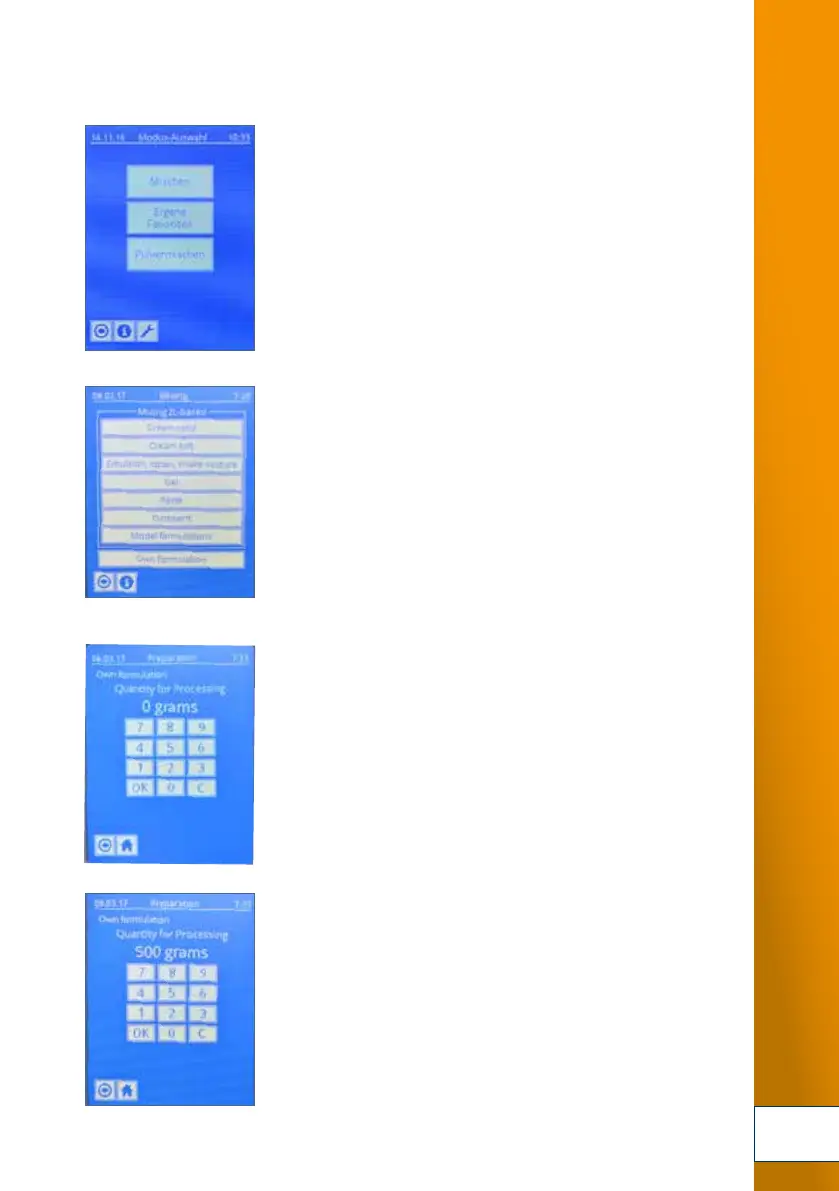
1. In the start menu, select "Mixing" mode.
2. Select menu option "Own formulations"
where you can enter your specific system parameters,
for example for the production of fresh base substance
mixtures.
Select "Own formulations".
Production example:
Production of 500 g anionic hydrophilic cream DAB.
3. Select menu option "Own formulations".
The touch screen keypad is displayed
where you can enter the quantity (500 g).
4. Enter the quantity (e.g. [500 g]) and confirm
with [OK].
To correct the entry, press [C].
Press [3] to return to the previous step.
3.
4.
2.
1.
Fig. 7-2 Mode: Mixing / own formulations (pages 49-52)
DSC_0232.JPG
DSC_0234.JPG
DSC_0233.JPG
DSC_0235.JPG


 To Next Page
 Loading...