64
TOPITEC
®
TOUCH User Manual | 11-2020
8.1.4 External memory module – Uploading formulation updates
1. When formulation updates need to be uploaded, we will send you a separate external memory
module. It contains a revised and updated list of the validated system parameters of the device
mode [Mixing / ZL-based / Model formulations].
2. Connecting memory module
The external memory module must always be connected to the TOPITEC
®
TOUCH beforethe
device is switched on.
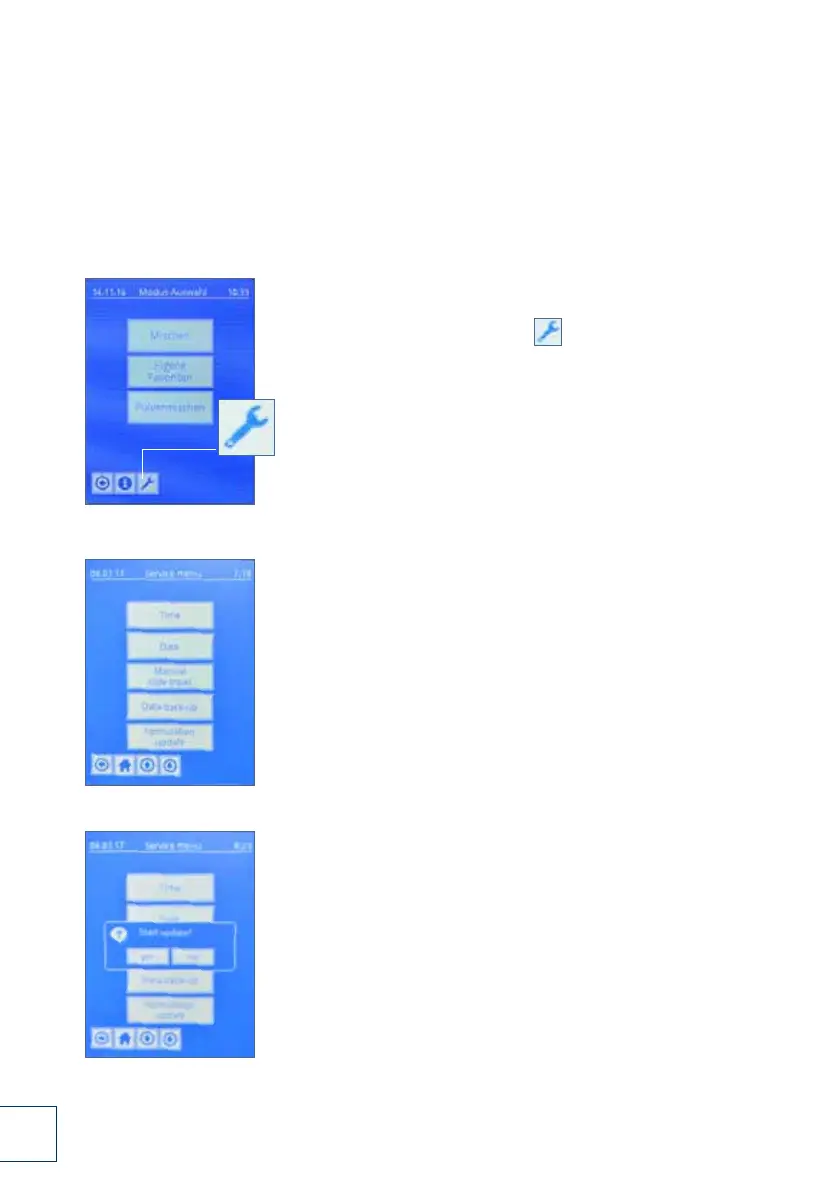
3. Switch on your mixing system.
After the system has booted, the [ ] button is displayed
in the footer of the touch screen.
Press this button.
4. Press the [FORMULATION UPDATE] button.
5. You are prompted to confirm whether you wish
to update the data [Start update?]: [YES] / [NO]
DSC_0232.JPG
DSC_0234.JPG
DSC_0233.JPG
DSC_0235.JPG
3.
4.
Fig. 8-4 External memory module – uploading formulation updates (pages 66-67)
5.


 To Next Page
 Loading...