WERMA SIGNALTECHNIK Version 1.2.0 - 0911 7
3. Automatic Driver Installation
Insert the USB terminal element CD and install the file Setup_Win_2k_XP_Vista_7. This setup
installs the drivers for Windows 2000, Windows XP, Windows Vista and Windows 7.
Note: You must have administrator rights to install the drivers.
4. Manual driver installation
Note: Manual driver installation is only required if the USB terminal element is not recognised.
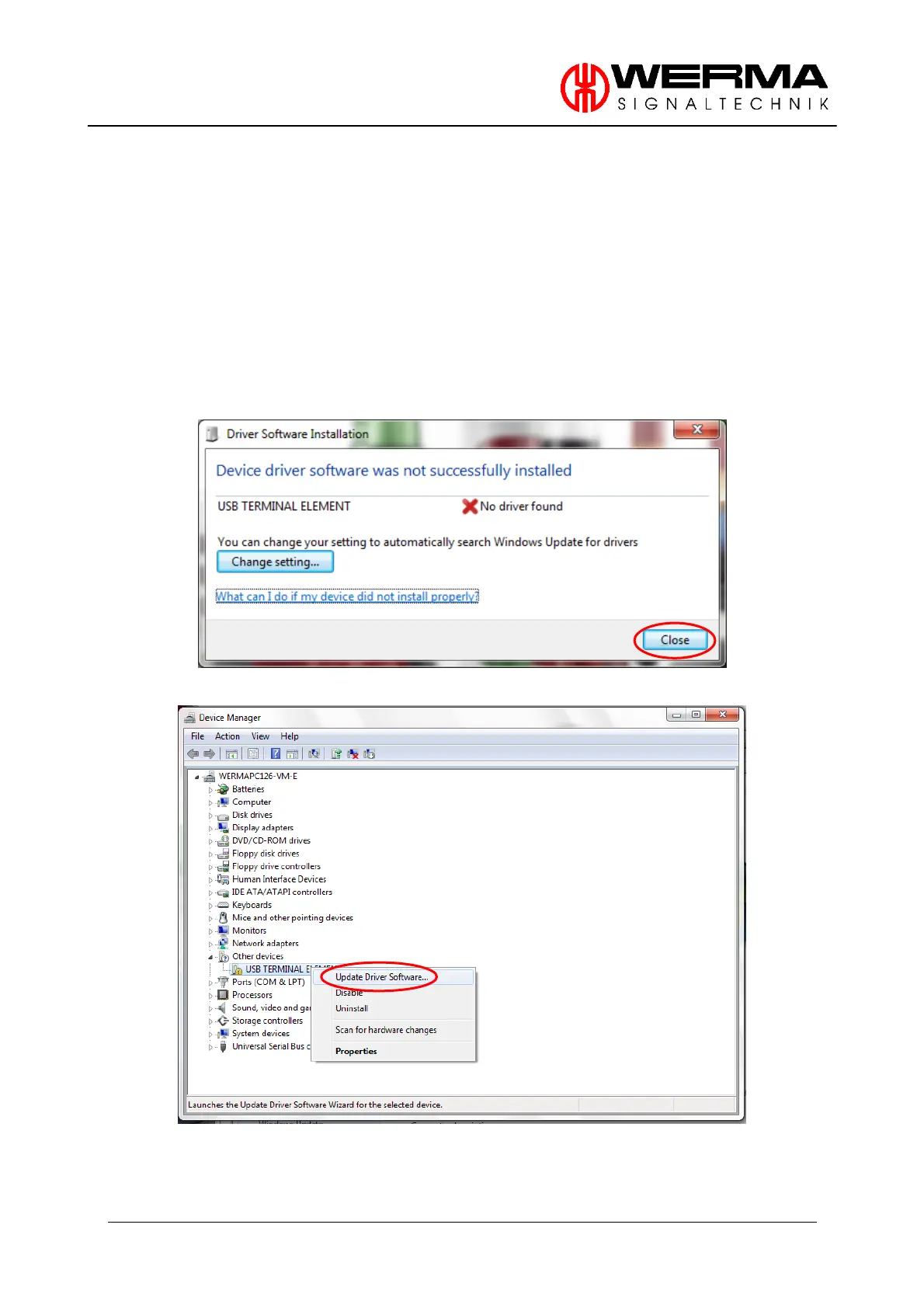
Windows will open the following window.
Close this window and open the Device Manager (Computer/Properties/Device Manager).
Click with the right mouse button on USB TERMINAL ELEMENNT and then click on “Update
Driver Software”.


 To Next Page