6 FJWESTCOTT.COM
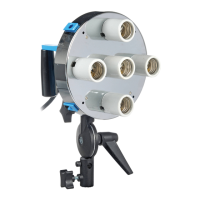
For #2335 Only: When using the
mono version, place the #1080
Mounting Rod through the light
head umbrella receptacle. Using
the white block, mount the Apollo.
Tighten thumbscrew to lock in
place. Note: The light will be facing
the side of the softbox.
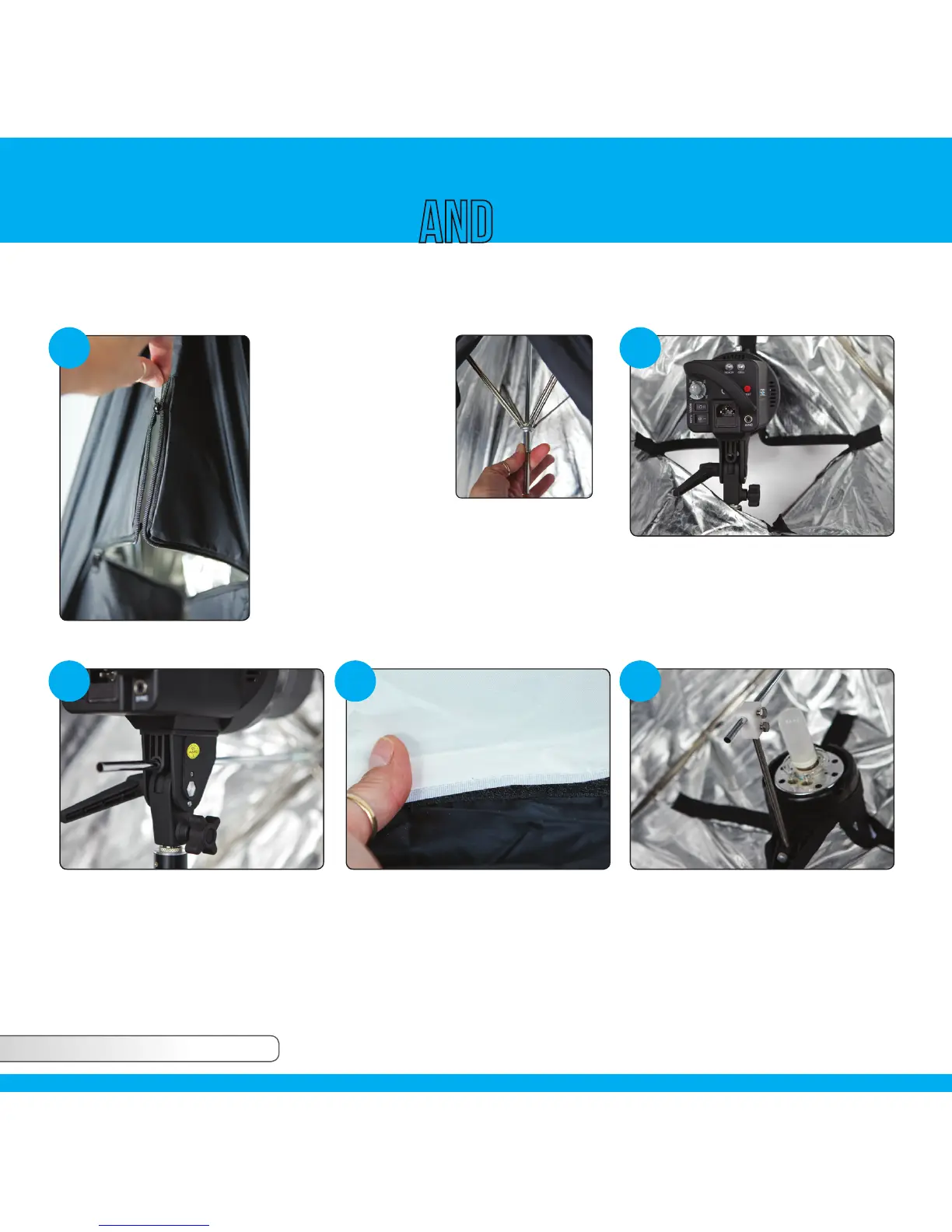
To mount the Apollo
light modifier onto your
light, open the zipper
at the bottom of the
unit. Open the Apollo
just like an umbrella.
It is helpful to push
slightly against the top
of the unit with one hand while raising the
slider up the center shaft to lock into place.
Note: When using the #5015 Adjustable Shoe
Mount Bracket, attach your speedlite to the
bracket before assembling your modifier.
Apollo
™
Setup UsagE
#2218, 2334, 2335, 2337, 2336 & 2348 EACH CONTAIN: [1] Apollo [1][1] Mounting Arm (#2335 only)
1 2
3 4 5
With the Apollo open, place it over
top of your light by inserting your
light through the bottom zipper.
Next, slide the umbrella shaft
through the umbrella receptacle of
the light. Tighten the setscrew onto
the shaft. Do not over tighten!
After the Apollo is secure, insert the
loop tape. Close the bottom zipper
opening around the light stand or
boom arm.


 To Next Page