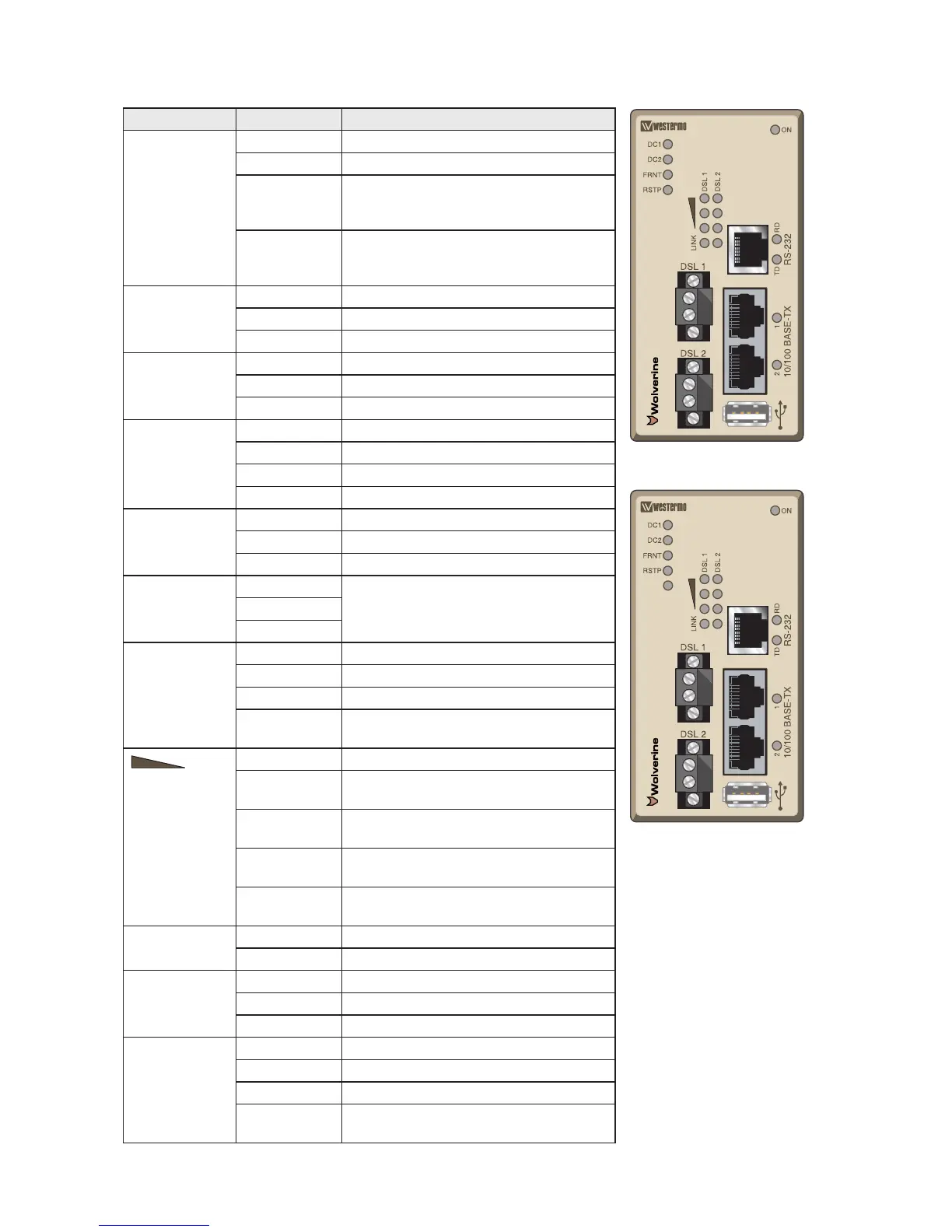
DDW-142 and
DDW-142-12VDC
DDW-242 and
DDW-242-12VDC
LED indicators
LED Status Description
ON OFF Unit has no power.
GREEN All OK, no alarm condition.
RED
Alarm condition, or until unit has started
up. (Alarm conditions are configurable, see
WeOS Management Guide).
FLASH Location indicator ("Here I am!"). Activated
when connected to IPConfig Tool, or upon
request from Web or CLI.
DC1 OFF Unit has no power.
GREEN
Power OK on DC1.
RED Power failure on DC1.
DC2 OFF Unit has no power.
GREEN Power OK on DC2.
RED Power failure on DC2.
FRNT OFF FRNT disabled.
GREEN FRNT OK.
RED FRNT Error.
BLINK Unit configured as FRNT focal point.
RSTP OFF RSTP disabled.
GREEN RSTP enabled.
BLINK Unit elected as RSTP/STP root switch.
USR1
(only DDW-242)
OFF
Configurable, see WeOS Management
Guide.
GREEN
RED
LNK
SHDSL ports
Link indicator
Port 1–2
OFF No DSL link.
GREEN DSL link established.
GREEN FLASH DSL link negotiation.
YELLOW Port alarm and no link. Or if FRNT or RSTP
mode, port is blocked.
SHDSL ports
Quality indicator
Port 1–2
All OFF No DSL link.
3 RED Signal to noise value below 3 dB.
Unstable DSL link.
1 GREEN Signal to noise value 3–5 dB.
Marginal DSL link.
2 GREEN Signal to noise value 6–9 dB.
Normal DSL link.
3 GREEN Signal to noise value above 9 dB.
Strong DSL link.
RD OFF No serial data received.
GREEN FLASH Serial data received.
TD OFF No serial data transmitted.
GREEN FLASH Serial data transmitted.
YELLOW FLASH Indicate error on RS-422/485 bus.
Copper ports
Port 1–2
OFF No link.
GREEN Link established.
GREEN FLASH Data traffic indication.
YELLOW Port alarm and no link. Or if FRNT, RSTP or
Link Aggregation mode, port is blocked.


 To Next Page