EasyManua.ls Logo

Western Digital ArmorLock Encrypted NVMe - User Manual

Western Digital ArmorLock Encrypted NVMe
29 pages
Print Icon
To Next Page IconTo Next Page
Loading...
ArmorLock
Encrypted NVMe
SSD with Mobile App
User Manual

Table of Contents

Question and Answer IconNeed help?

Do you have a question about the Western Digital ArmorLock Encrypted NVMe and is the answer not in the manual?

Summary

Accessing Online Support

Welcome to ArmorLock

Key Features

Highlights the main benefits and capabilities of the ArmorLock SSD, focusing on security and speed.

ArmorLock App

Details the companion mobile app for unlocking and managing the ArmorLock drive.

Whats in the Box

Lists the items included in the ArmorLock SSD package.

Tech Notes

Provides essential technical details and specifications for the ArmorLock drive.

Drive Compatibility

Specifies the operating systems compatible with the ArmorLock drive via USB.

App Compatibility

Lists the operating systems for which the ArmorLock mobile app is compatible.

USB Host and OS Compatibility

Details the combinations of USB hosts and operating systems usable with ArmorLock.

Bluetooth Compatibility

Explains the Bluetooth Low Energy (BLE) compatibility for smartphone communication.

A Look at the ArmorLock Drive

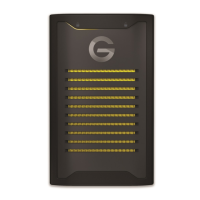
Describes the prominent physical features of the G-DRIVE ArmorLock SSD.

Getting Started

Get the Mobile App

Instructions on how to obtain and install the ArmorLock mobile application.

Download and Setup the App

Step-by-step guide for downloading and configuring the ArmorLock app on your device.

ArmorLock Mobile App Overview

Provides a visual guide to the ArmorLock app's interface and main features.

Add a New Drive with the Mobile App

Process for adding a new ArmorLock drive to the mobile app for management.

Setup and Use the Drive

Detailed steps for initial setup and basic usage of the ArmorLock SSD.

Main Activities

Unlock and Lock the Drive

Instructions on how to securely unlock and lock the ArmorLock SSD using the app.

Auto Unlock

Enabling and using the feature for automatic drive unlocking.

Remove a Drive

Steps to deauthorize or unpair an ArmorLock drive from the application.

Authorize Local Users

Process for a Manager to authorize other users on the same physical network.

Authorize Remote Users Before You Ship the Drive

Procedure for authorizing remote users prior to shipping the drive.

User Receives and Adds the Drive

Steps for a user to connect and add a received ArmorLock drive.

More About Your ArmorLock App and Drive

Drive Indicators

Explanation of the LED lights on the ArmorLock drive and their status meanings.

App Version

Instructions on how to view the current version of the ArmorLock mobile app.

User Authentication

Configuration of user authentication for enhanced security when using the app.

Location Tracking

Enabling and disabling the feature to track the drive's last known location.

Drive Information

Accessing technical details like serial number and firmware version.

How to Use Recovery Key

Procedure to recover access to the drive using the saved Recovery Key.

Damaged Pairing Recovery for New Devices

Steps to recover ArmorLock pairing or remove a drive card on new devices.

Manager Settings

Adding and Removing Users

Procedures for managing user access by adding or removing users from the drive.

User Name

How to rename a user within the ArmorLock app context.

New Recovery Key

Process for Drive Managers to generate a new, secure Recovery Key.

Read-Only Mode

Setting the ArmorLock drive to a read-only state to prevent modifications.

Auto Firmware

Information about the automatic firmware update setting.

Reset to Factory Settings

Steps to reset the ArmorLock drive to its original factory configuration.

Keeping ArmorLock Up to Date

Firmware Updates: Using Android Mobile App

Guide for updating the ArmorLock drive firmware using an Android device.

Compliance and Warranty Information

Regulatory Compliance

Overview of regulatory standards applicable to the ArmorLock drive.

Safety Compliance

Details on safety standards approved for US and Canada.

FCC Class B Information

Information regarding the device's compliance with FCC Class B limits.

Industry Canada Statement

Statement on compliance with Industry Canada's license-exempt RSSs.

ICES-3(B);NMB-3(B) Compliance Statement

Statement on compliance with Canadian digital device standards.

CE Compliance For Europe

Information on compliance with European Union directives.

KC Notice (Republic of Korea Only)

Specific compliance notice for devices sold in the Republic of Korea.

VCCI Statement

Statement regarding compliance with EMI rules in Japan.

Warranty Information

General details and procedures for obtaining warranty service.

SanDisk Manufacturers Retail Products Limited Warranty (All Regions Except Australia)

Limited warranty terms for SanDisk products in most regions.

SanDisk Manufacturers Retail Products Limited Warranty (Australia)

Limited warranty terms for SanDisk products specifically for Australia.

How to Make a Warranty Claim

Step-by-step process for submitting a warranty claim.

How to Handle an ArmorLock Drive

Precautions and guidelines for safely handling the ArmorLock SSD.

Glossary

Authorized User

A user authorized to unlock or access an ArmorLock device.

File System

Controls how data is stored and retrieved on the drive.

Manager

A user role with permissions to manage the ArmorLock drive and settings.

QR Code

A matrix barcode for quick access to drive information and pairing.

USB

Industry standard for connecting computers and peripherals.

User

An authorized phone or computer that can unlock the drive.

User ID

Information that identifies a user, such as user key and name.

User Key

A public key generated by the app and assigned to a user.

User Name

The friendly name of the user, stored on the drive.

Summary

Accessing Online Support

Welcome to ArmorLock

Key Features

Highlights the main benefits and capabilities of the ArmorLock SSD, focusing on security and speed.

ArmorLock App

Details the companion mobile app for unlocking and managing the ArmorLock drive.

Whats in the Box

Lists the items included in the ArmorLock SSD package.

Tech Notes

Provides essential technical details and specifications for the ArmorLock drive.

Drive Compatibility

Specifies the operating systems compatible with the ArmorLock drive via USB.

App Compatibility

Lists the operating systems for which the ArmorLock mobile app is compatible.

USB Host and OS Compatibility

Details the combinations of USB hosts and operating systems usable with ArmorLock.

Bluetooth Compatibility

Explains the Bluetooth Low Energy (BLE) compatibility for smartphone communication.

A Look at the ArmorLock Drive

Describes the prominent physical features of the G-DRIVE ArmorLock SSD.

Getting Started

Get the Mobile App

Instructions on how to obtain and install the ArmorLock mobile application.

Download and Setup the App

Step-by-step guide for downloading and configuring the ArmorLock app on your device.

ArmorLock Mobile App Overview

Provides a visual guide to the ArmorLock app's interface and main features.

Add a New Drive with the Mobile App

Process for adding a new ArmorLock drive to the mobile app for management.

Setup and Use the Drive

Detailed steps for initial setup and basic usage of the ArmorLock SSD.

Main Activities

Unlock and Lock the Drive

Instructions on how to securely unlock and lock the ArmorLock SSD using the app.

Auto Unlock

Enabling and using the feature for automatic drive unlocking.

Remove a Drive

Steps to deauthorize or unpair an ArmorLock drive from the application.

Authorize Local Users

Process for a Manager to authorize other users on the same physical network.

Authorize Remote Users Before You Ship the Drive

Procedure for authorizing remote users prior to shipping the drive.

User Receives and Adds the Drive

Steps for a user to connect and add a received ArmorLock drive.

More About Your ArmorLock App and Drive

Drive Indicators

Explanation of the LED lights on the ArmorLock drive and their status meanings.

App Version

Instructions on how to view the current version of the ArmorLock mobile app.

User Authentication

Configuration of user authentication for enhanced security when using the app.

Location Tracking

Enabling and disabling the feature to track the drive's last known location.

Drive Information

Accessing technical details like serial number and firmware version.

How to Use Recovery Key

Procedure to recover access to the drive using the saved Recovery Key.

Damaged Pairing Recovery for New Devices

Steps to recover ArmorLock pairing or remove a drive card on new devices.

Manager Settings

Adding and Removing Users

Procedures for managing user access by adding or removing users from the drive.

User Name

How to rename a user within the ArmorLock app context.

New Recovery Key

Process for Drive Managers to generate a new, secure Recovery Key.

Read-Only Mode

Setting the ArmorLock drive to a read-only state to prevent modifications.

Auto Firmware

Information about the automatic firmware update setting.

Reset to Factory Settings

Steps to reset the ArmorLock drive to its original factory configuration.

Keeping ArmorLock Up to Date

Firmware Updates: Using Android Mobile App

Guide for updating the ArmorLock drive firmware using an Android device.

Compliance and Warranty Information

Regulatory Compliance

Overview of regulatory standards applicable to the ArmorLock drive.

Safety Compliance

Details on safety standards approved for US and Canada.

FCC Class B Information

Information regarding the device's compliance with FCC Class B limits.

Industry Canada Statement

Statement on compliance with Industry Canada's license-exempt RSSs.

ICES-3(B);NMB-3(B) Compliance Statement

Statement on compliance with Canadian digital device standards.

CE Compliance For Europe

Information on compliance with European Union directives.

KC Notice (Republic of Korea Only)

Specific compliance notice for devices sold in the Republic of Korea.

VCCI Statement

Statement regarding compliance with EMI rules in Japan.

Warranty Information

General details and procedures for obtaining warranty service.

SanDisk Manufacturers Retail Products Limited Warranty (All Regions Except Australia)

Limited warranty terms for SanDisk products in most regions.

SanDisk Manufacturers Retail Products Limited Warranty (Australia)

Limited warranty terms for SanDisk products specifically for Australia.

How to Make a Warranty Claim

Step-by-step process for submitting a warranty claim.

How to Handle an ArmorLock Drive

Precautions and guidelines for safely handling the ArmorLock SSD.

Glossary

Authorized User

A user authorized to unlock or access an ArmorLock device.

File System

Controls how data is stored and retrieved on the drive.

Manager

A user role with permissions to manage the ArmorLock drive and settings.

QR Code

A matrix barcode for quick access to drive information and pairing.

USB

Industry standard for connecting computers and peripherals.

User

An authorized phone or computer that can unlock the drive.

User ID

Information that identifies a user, such as user key and name.

User Key

A public key generated by the app and assigned to a user.

User Name

The friendly name of the user, stored on the drive.

Western Digital ArmorLock Encrypted NVMe Specifications

General IconGeneral
Storage Capacity1TB, 2TB
ConnectorUSB-C
Read SpeedUp to 1000 MB/s
Write SpeedUp to 1000 MB/s
Operating Temperature0°C to 35°C
Non-Operating Temperature-20°C to 65°C
EncryptionAES-256 XTS hardware encryption
CompatibilitymacOS, Windows
DurabilityIP67 water and dust resistance

Related product manuals