
 Need help?
Do you have a question about the Western Digital My Book World Edition and is the answer not in the manual?
Lists included items: storage system, software CD, Ethernet cable, AC adapter, and quick install guide.
Specifies required hardware and software for installation, including Ethernet, disk space, RAM, and OS.
Instructions for registering the My Book device to access WD services, tips, and updates.
Details the preformatted Linux file system and dual-drive model configuration for maximum capacity.
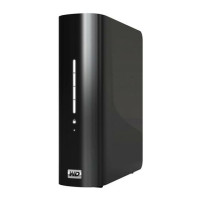
Identifies physical components like LEDs, buttons, USB, Ethernet, and power ports on the device.
Guides on connecting the Ethernet cable to the unit and network, and plugging in the AC adapter.
Important note to wait for the drive to finish powering up before starting software installation.
Instructions to insert the software CD and launch the main menu for setup.
Steps to install WD Anywhere Access, including reading the license agreement and clicking Finish.
Guidance on installing the optional EMC Retrospect Backup Software from the installer.
Details for creating a new WD Anywhere Access account, including user name and password.
Instructions for setting user-friendly names for your computer and the My Book World Edition device.
Completing the WD Anywhere Access account setup and returning to the installer screen.
Instruction to restart the computer to finalize the installation of all software components.
Information regarding the device's compliance with FCC Class B digital device regulations.
Details on compliance with Canadian (CSA) and European (CE) standards for safety and emissions.
Procedures for requesting product maintenance, obtaining an RMA, and keeping packaging.
Explanation of the three-year limited warranty, exclusions, and remedies for defects.
Provides contact phone numbers and websites for technical assistance and product support.
 General
| Brand | Western Digital |
|---|---|
| Model | My Book World Edition |
| Category | Storage |
| Language | English |









 To Next Page